


/r/SuggestAPC
tech-discussion
Discuss everything technology in here!
967 messages
Aeeshia 27-Nov-18 05:03 AM
test
vagabond 27-Nov-18 04:39 PM
Ryzen 5 2400G, Radeon RX Vega 11, 8gb ram, 2TB storage, A320M mother board are these good ?
PintSizedSlashrr 27-Nov-18 05:38 PM
What kind of storage? SSD or HDD
Infitalias00 27-Nov-18 07:27 PM
So this is my first desktop and first time messing with any settings, have an I7-8700k, went in bios and overclocked to 4.7 to start, cpu hasn’t gone above 40 c with games so far, leave it there or worth trying to go higher? And rtx 2080 is at 1920 MHz so far and sits around 60 c at max load, stay there as well or any vendor to pushing either higher? (edited)
Couldn’t find xmp and ram looked like it had too many settings so I didn’t mess with that at all
ToTimesTwoIsToo 27-Nov-18 08:50 PM
@Infitalias00 I'd say do some modest clocking for now like you did. In four or five years when the 8700K starts to get dated, then starting pushing that sucker to the max
vagabond 28-Nov-18 02:59 PM
@PintSizedSlashrr @Shawn Matthias Howlsey Ryzen 5 2400 processor , Radeon rx 580 4g gpu, evga 600w 80+ power supply , aero cool rgb mod tower case 16 gb ddr4 ram , prob350 m4 mobo with a 2tb hdd
That’s what we decided on
PintSizedSlashrr 28-Nov-18 04:40 PM
Not bad, how much did it cost @vagabond
vagabond 28-Nov-18 04:40 PM
800$
@PintSizedSlashrr 800$
PintSizedSlashrr 28-Nov-18 04:41 PM
Damn, that's pretty good
I would of went with a TB of SSD though, I love the faster load in times
@vagabond did you build it yourself?
vagabond 28-Nov-18 04:45 PM
No I’m buying it i didn’t want to chance it and fuck anything up
@PintSizedSlashrr honestly i don’t know much about computer so this “ thread” really helped me figure out what’s a good build
PintSizedSlashrr 28-Nov-18 04:47 PM
I don't know a whole lot either, just the basics. Can you link to the one you bought? I want to check it out @vagabond (edited)
vagabond 28-Nov-18 04:52 PM
@PintSizedSlashrr i got lucky and found the guy through reddit
PintSizedSlashrr 28-Nov-18 04:53 PM
Oh, really?
vagabond 28-Nov-18 04:59 PM
Yea i was a little sketched out but my friend helped me out and made sure it was legit it was between this one https://www.walmart.com/ip/SkyTech-Gaming-ArchAngel-Elite-AMD-Ryzen-2600-3-4-GHz-Nvidia-GeForce-1070-TI-8GB-8GB-DDR4-2400-MEMORY-500-GB-SSD-w-3D-NAND-650-Watts-Windows-10-Home-/569243217 my friend has or the one i was talking about
Free Shipping. Buy SkyTech Gaming ArchAngel Elite AMD Ryzen 2600 3.4 GHz, Nvidia GeForce 1070 TI 8GB, 8GB DDR4 2400 MEMORY, 500 GB SSD w/ 3D NAND, 650 Watts, Windows 10 Home 64-bit at Walmart.com
@PintSizedSlashrr if you cared
PintSizedSlashrr 28-Nov-18 05:01 PM
@vagabond so you're getting that through a guy on reddit?
vagabond 28-Nov-18 05:03 PM
@PintSizedSlashrr no that link is the one my friend got
PintSizedSlashrr 28-Nov-18 05:03 PM
Oh, yeah that one is decent
Gyro 28-Nov-18 07:28 PM
that skytech seems like a good deal. I bought all my parts, and it's basically the same thing, except mine has more RAM https://pcpartpicker.com/list/2cqnFt (haven't decided on a case yet). So far I've paid about $880 after tax and shipping, stuff has risen in price since then
Gyro 28-Nov-18 07:36 PM
this deal wasn't around when I started making my purchases, but I wanted to make sure they didn't cut corners with the mobo, RAM, PSU or give me a cheap version of the 1070ti with a single fan
(from what it seems, it comes with the zotac 1070ti, and I can't find any zotac 1070ti's with a single fan, so that shouldn't be an issue if you care about that, though it may come with the mini) (edited)
Achle 28-Nov-18 09:03 PM
Hey guys, I am looking to build a new PC. I do play some games, but not ones that require super high video cards (WoW, League of Legends). I need at least 32GB ram and a decent processor as I work with large excel files (anything less than 16gb = crash) and other data files. My budget is around $1500, including the OS, speakers and a wireless card. Right now I just have one monitor (32 inch, 1080p), but I'll want a second one at some point. I was thinking about this setup, but downgrading the card to a 1070 to save money. Would that be adequate? https://pcpartpicker.com/list/xpXg4q
I posted in the wrong forum and people recommended dropping to 1060. That will be enough for the next 2-3 years for the types of games i Play?
Mark 28-Nov-18 09:04 PM
League of Legends will run on literally anything within this decade (even with no GPU). WoW is an older title and the 1060 will crush it no problem.
Achle 28-Nov-18 09:05 PM
I definitely was thinking about the SSD, but it may help with my data manipulation? I was thinking about just having a 500gb SSD instead of 1TB and then having an external drive for more permanent storage.
Mark 28-Nov-18 09:05 PM
Well, I don't know much about excel, but it seems that your SSD won't go too far with it if it needs 32gb just to open. You could always opt for cheaper hybrid storage and stack up a few tb
Achle 28-Nov-18 09:06 PM
thats true. I also need an optical drive, just to tell you guys the level of technology that my organization works with
Gyro 28-Nov-18 09:06 PM
some games actually perform worse on newer computers, more powerful computers. I have a 1060 (3gb version) laptop and play Final Fantasy XI, and it runs like crap compared to my non dedicated gpu laptop
Mark 28-Nov-18 09:07 PM
food for thought ^
Achle 28-Nov-18 09:07 PM
interesting. would 1060 be able to handle two monitors for productivity tasks (some light programming, excel, etc)
Mark 28-Nov-18 09:07 PM
absolutely, intel graphics can do that by itself 😃
Gyro 28-Nov-18 09:08 PM
then again, that's a game that came out in 2002. But WoW was 04. Blizzard may have been more active with optimizing for the future though (edited)
Mark 28-Nov-18 09:08 PM
I don't know how big of a problem money is, but considering I've managed to get WoW going on my Surface Pro with no GPU, it should be of little concern.
I'm sure anything will do fine.
Achle 28-Nov-18 09:10 PM
awesome! I am flexible, its not a super hard budget that it has to be <$1500. But I just dont want to waste money on four SLI graphics cards or something if all I'm doing is playing wow and LoL for a few hours a week (and mainly pvp in wow, not even raids)
Mark 28-Nov-18 09:10 PM
Here's WoW running on a $70 cheapo card https://www.youtube.com/watch?v=X-xcHU_M76I
Tested WoW with a Gigabyte GT 1030 recording at 1080p 60fps. Never drops. :D Takes me an hour and then some to upload. lol. The video is only 18 minutes and ...
Achle 28-Nov-18 09:10 PM
if I were to spend more money, I'd probably rather spend it on other stuff like ram, cpu, faster hdd
oh wow haha
Gyro 28-Nov-18 09:11 PM
games like WoW and FFXI are CPU intensive, (FFXI refuses to use my dedicated GPU, and uses the integrated one)
Achle 28-Nov-18 09:11 PM
ok, I'm convinced
Mark 28-Nov-18 09:13 PM
Gyro actually brings up a really good point. You have the a full fat 2700 in there so CPU will be even less of a worry. If you want, you can cough up an extra $80 or so and get a 2700x for a little extra performance.
Save the money and buy some big storage, good luck 😃
Achle 28-Nov-18 09:16 PM
Yeah, I'm thinking maybe go to 1060, use tha tmoney to get that CPU upgrade. For storage, even 500GB is enough I think. I usually only work with 1-2 big datasets at a time, each one being like 10gb each. Its more RAM heavy the HD space heavy.
Thank you for your help! I really appreciate it!
Mark 28-Nov-18 09:16 PM
No problem, feel free to dm me if you have any questions.
Achle 28-Nov-18 09:36 PM
Just one more question, with these requirements, do you think it makes sense to build rather than buy a prebuilt system?
Shawn Matthias Howlsey 28-Nov-18 09:36 PM
Depends.
Do you like having the luxury of tech support and warranty on the whole system?
Achle 28-Nov-18 09:37 PM
I've built a computer before, over 10 years ago, so I am not completely unfamiliar with it
Shawn Matthias Howlsey 28-Nov-18 09:37 PM
Or do you feel confident enough to diagnose and solve problems on your own?
Achle 28-Nov-18 09:38 PM
thats true, probably that would be nice to have a warranty, i guess it dpeends on how much of a premium that would be. If it was within $100-$150, I might go for it, otherwise I don't mind a little work to figure it out if something goes wrong
Shawn Matthias Howlsey 28-Nov-18 09:42 PM
@Achle do you need 16 or 32 GB RAM?
Achle 28-Nov-18 09:42 PM
32
Shawn Matthias Howlsey 28-Nov-18 09:43 PM
On Best Buy I can't find any that are 32 within $1500.
Achle 28-Nov-18 09:44 PM
yeah, I did a cursory search, a lot of them were either underpowered on RAM or CPU I felt for what I really wanted. I suppose I can just get something lower and then upgrade myself but I think it makes sense to get exactly what I want?
Infitalias00 28-Nov-18 09:45 PM
might be cheaper to just get one with 16 and buy another 16 to add in, even most 3200 is just a little over 100 for 16 right now, even cheaper is matching with a lower speed pair (edited)
Achle 28-Nov-18 09:45 PM
hmm
you mean buying a pre-built and adding a 16gb?
Infitalias00 28-Nov-18 09:46 PM
most of these prebuilts are charging prices of higher speed better ram for offbrand 2400 or 2666
yes, adding ram is easy just clicking in
i got 32 gb of g.skill RGB 3200 for $214 off amazon during weekend sales, when i looked earlier today i would be about $290 now, but like I said that was for higher speed and RGB is more expensive, and anything 3000 and under even cheaper, can probably add another 16 gb to whatever is in the prebuilt for under 80
replacing the 16 gb of 2666 that came in my prebuilt
Achle 28-Nov-18 09:50 PM
interesting. something like this: https://www.cyberpowerpc.com/system/VR-Ready-Syber-L-GTX-1060, with just replacing the ram with 2x16gb sticks?
Best High Performance Gaming PC - Specialize in Gaming Computers and Custom PC. Award Winning Custom Built Desktops and Gaming Laptops for over 14 years.
Infitalias00 28-Nov-18 09:58 PM
that's up to you, I did 4 8gb sticks since I was going with RGB slightly for appearance as well, filling all slots looks nicer than having 2 empty to me, that GEIL EVO POTENZA brand ive never heard of and has almost no reviews, also looks unjustifiabl expensive currently 189.99 for 16 gb 2x8 of 3000, and their only 32 gb kit is 2x16 of 2400 for $299, looks like they are overcharging for all their ram, they want almost $200 for 16 gb of gskill trident rgb when its only 150 on amazon, they want 502!!! for 32 gb when its only 300 on amazon (edited)
Achle 28-Nov-18 10:02 PM
ah ok. I don't really care much about looks or RGB - my computer is going to be tucked away for the most part anyway, not visible on my desk.
Infitalias00 28-Nov-18 10:05 PM
could just select the cheapest ram option which would save you $100 and put it towards a better known brand, ie corsair vengeance at 124 would only cost you $24 with the savings, or g skill ripjaw only $28
Achle 28-Nov-18 10:05 PM
that makes sense
Infitalias00 28-Nov-18 10:08 PM
thats for 16 gb if you want 32 gb on your link their cheapest 32 gb ram option of who knows what is $292, when you could get corsair vengenace for $252 and save $40
Gyro 28-Nov-18 10:09 PM
question, I have a 2x8gb of ram on the way, but it's only 2400 15 latency. Spent 105 on it. Should I return it when it comes in, and get something else? Like 3200-16 or 3000-15? I can get the 3000-15 for 9 more dollars, or the 3200-16 for 24 more https://www.newegg.com/Product/Product.aspx?Item=N82E16820231888 https://www.newegg.com/Product/Product.aspx?item=N82E16820231941 https://www.newegg.com/Product/Product.aspx?Item=N82E16820232298
Infitalias00 28-Nov-18 10:14 PM
this is my first desktop so someone else can say how big of a difference it makes, mine came with 2666 and overclocked it to 3000, could probably go higher but didnt try since i have 3200 coming and from what I saw most take that to 4100 + ill probably just do 4000, 2400 seems low, from what Ive read and seen people say biggest jump is up to 3000, over 3000 performance gains are smaller, I just grabbed the 3200 since it was on sale for $107 per 16 gb on sunday/monday, I would say just $9 to go from 2400 to 3000 is well worth it
as for 3000 vs 3200 I dont think its very important but doesnt hurt if you dont mind spending 15 more dollars (edited)
Gyro 28-Nov-18 10:16 PM
I'm not well versed in the subject, so I don't know whether 3200 16 is even better than 3000 15
Infitalias00 28-Nov-18 10:21 PM
and its all pretty much moot unless you are going to go in bios and overclock your cpu and ram, otherwise all the 3000 or 3200 etc, is really just going to be running at like 2400 or 2666 or so anyway, those numbers are just the rams headroom for overclocking/xmp and such, I dont see why not to overclock since it only took a few minutes to go in bios and a few minutes on google looking up some posts and youtube videos and following along and got the results they did, with still pretty low temps even in this seemingly kind of crappy case without much cooling, but I know some people have said they dont plan to mess with anything and if thats the case its all irrelevant
you can even change the cas timings on the ram anyway
so many other's have done all the legwork already increasing overclocks on popular cpus and gpus and ram incrementaly and booting over and over and over to see what max with stability is, so you can just take their maxxed settings and undercut a bit to ensure youll have a stable overclock and still be plenty of performance for average people just playing games and not trying to place top of benchmark leaderboards ha, I just followed guy that was going to the max for benchmark scores and undercut each setting a bit and booted and eveything has worked perfectly
PintSizedSlashrr 29-Nov-18 05:40 PM
Does anybody have experience with powerline adapter? I just bought some and they didn't improve my speed at all.. wondering if I did something wrong
Mark 29-Nov-18 08:46 PM
I'm not sure what you mean with improving your speed. Powerline adapters can help extend the range of your network, but they shouldn't (unless you have something super special? It's possible I don't know about it) speed up your network.
Adapters may be rated to be capable of up to x speed, but if your network can't output that speed, the adapter won't either.
PintSizedSlashrr 30-Nov-18 02:00 PM
@Mark I thought wired connection is better than wireless. So I figured it would be a better connection.
Mark 30-Nov-18 02:47 PM
A wired connection is always superior over wireless, but it won't speed anything up. Your maximum internet speed depends on the internet package you have with your provider. The only way I could see a powerline adapter speeding up your speeds is if your current wireless solution isn't very optimal.
💕 コード:002 💕 30-Nov-18 03:06 PM
Direct cable from one side of the router directly to your PC is the fastest type of connection.
Littlepip 02-Dec-18 03:06 PM
Can i mix some XPG Gammix D10 3000MHz RAM with some XPG Gammix D10 2400 Mhz ram in a 4 ram slot motherboard
alll 8 gigs each
Gamer 02-Dec-18 03:22 PM
As far as I understand, yes but it'll all run at 2400. Make sure they don't have different voltages
GurkOfc 02-Dec-18 06:48 PM
can i use a External CD Drive
to download windows?
to my pc i built
Gamer 02-Dec-18 08:37 PM
Uh, I think you mean 'install' windows, and yes you should.
Littlepip 02-Dec-18 10:53 PM
So would it be better for me to buy a 4x8 ram kit then?
Gamer 02-Dec-18 11:09 PM
For what?
Littlepip 02-Dec-18 11:10 PM
I have 4 slots total, 2 taken right now with 2x8gb of ram
Gamer 02-Dec-18 11:10 PM
Why do you need more?
Littlepip 02-Dec-18 11:10 PM
ive maxed out when dealing with some files n stuff
for 100 dollars wouldnt mind doubling
Gamer 02-Dec-18 11:11 PM
I'm honestly curious how you max out 16 GB of ram with 'files and stuff'
Littlepip 02-Dec-18 11:11 PM
i dont wanna go into detail lol
Gamer 02-Dec-18 11:11 PM
Like, files normally don't take up ram
Fair enough,
Littlepip 02-Dec-18 11:12 PM
I dont NEED the ram, it would just be nice
Gamer 02-Dec-18 11:12 PM
Reason I asked was because too many people get 32 GB or ram that don't need even 12 GB of ram
Littlepip 02-Dec-18 11:12 PM
Yeah, In gaming i dont need it at all
Gamer 02-Dec-18 11:12 PM
I've never hit 16 GB ram ever, personally, not even close
You could but 4x8 kit and then sell your previous kit if you prefer
Littlepip 02-Dec-18 11:13 PM
If it ended up working yeah
suppose ill try that in future
Achle 03-Dec-18 06:54 PM
So I have a question, I am trying to build a computer that is going to be 70% productivity (working with large excel files, some scripting, high RAM & CPU usage needed) and 30% gaming (WOW and LoL). The problem is monitor - I have a large monitor that I like and use for productivity - but its 1080p at 60hz. So I don't think it makes sense for me to get a 200 frames at max settings in WOW. What kind of video card would allow me to play absolutely max settings at 1080p (and 60hz monitor) for these older games without just wasting money on a GPU that I won't need?
the total budget for my system is $1500 (but I'll be splurging a bit on CPU, RAM and SSD...but obviously less than $1500 is better)
Gamer 03-Dec-18 07:12 PM
WoW and LOL aren't games that really matter for high FPS/Refresh rates, you're right. 1060 or equivalent should be more than enough for you.
Shawn Matthias Howlsey 03-Dec-18 07:13 PM
Don't be this guy.
SPONSOR: Go to http://expressvpn.com/science to take back your Internet privacy TODAY and find out how you can get 3 months free. Link to the Verge's awful v...
Achle 03-Dec-18 07:15 PM
Yea, I was thinking 1060 ish....I do want a good CPU/RAM but for productivity purposes (I am working with excel files and other data files that are >5-10GB each). And gaming is a bit of an extra thing that I do from time to time. Obviously with the CPU and RAM, it will hopefully be future proof enough that the GPU should hopefully be upgradable in a couple years if I want.
Shawn Matthias Howlsey 03-Dec-18 07:16 PM
If you're 60% productivity, 40% gaming, go with Ryzen.
Gamer 03-Dec-18 07:16 PM
Agreed (edited)
Achle 03-Dec-18 07:16 PM
I am probably 80% productivity honestly...I was planning on the 2700X with 32GB ram and 1TB SSD with a 2TB normal HD
Gamer 03-Dec-18 07:17 PM
sounds good
Achle 03-Dec-18 07:20 PM
Something like this look OK on paper?
With good upgradability of GPU in the future if I need to (without the rest of the system being a bottleneck)?
ToTimesTwoIsToo 03-Dec-18 07:25 PM
yeah looks great @Achle
Shawn Matthias Howlsey 03-Dec-18 07:26 PM
RGB Pro RAM only. XD
It's common knowledge that RGB increases performance by 20%.
Achle 03-Dec-18 07:28 PM
haha
ToTimesTwoIsToo 03-Dec-18 07:28 PM
don't be ridiculous and completely unfounded, everyone knows its 30%
xD
Shawn Matthias Howlsey 03-Dec-18 07:28 PM
There you go.
+50% performance there.
Achle 03-Dec-18 07:28 PM
My PC will be hidden in a little area underneath the desk, so I know this is a gaming no no but RBG would be completely wasted
Dont care how it looks haha, can be the ugliest case as long as its functional and works, I dont care
I meant to ask about that - is liquid cooling needed or can I use the stock cooler?
Gamer 03-Dec-18 07:31 PM
You can save $80 for getting a 580 instead of a 1060
Much better value for similar performance
Achle 03-Dec-18 07:32 PM
Is that an AMD card?
Gamer 03-Dec-18 07:32 PM
yup
Achle 03-Dec-18 07:32 PM
Last time I built a computer was >12 years ago. I didnt know AMD cards were a thing haha.
That can play WOW at pretty max settings?
I know its an old game
Gamer 03-Dec-18 07:33 PM
Based on 467,363 user benchmarks for the AMD RX 580 and the Nvidia GTX 1060-6GB, we rank them both on effective speed and value for money against the best 597 GPUs.
ToTimesTwoIsToo 03-Dec-18 07:34 PM
yes the gtx 1060 will handle wow with ease
Achle 03-Dec-18 07:34 PM
ahhh thanks!
Gamer 03-Dec-18 07:35 PM
Thought he was asking about the 580
ToTimesTwoIsToo 03-Dec-18 07:35 PM
oh you're right
yeah both cards can handle wow
Gamer 03-Dec-18 07:35 PM
Overkill really
Achle 03-Dec-18 07:37 PM
ok cool, thank you!
Achle 04-Dec-18 12:25 PM
A further question, based on your feedback, this is what I've settled on, for ordering: https://pcpartpicker.com/list/7P2ksZ. Do you think the stock cooler is fine or should I pay for something additional?
ToTimesTwoIsToo 04-Dec-18 12:31 PM
the ryzen 7 2700x stock cooler is actually really good
I'd stick with it
also, is there any reason you need 32 gb of RAM? If going to 16gb saves you enough money to buy an rx 590, it might be worth the swap
Achle 04-Dec-18 12:37 PM
I am not sure if I need it. I am probably about 70-80% productivity and 20% gaming (WOW and LOL only), and I work with 5-10gb excel and other data files. At work, generally 8GB is not enough to work with those files. 16GB would probably be enough. I don't mind spending more for the card (my budget is $1500, and I am well under). But right now I only have a 60hz 1080p monitor and I only play WoW and LoL, and as long as I can play those on ultra settings with my monitor, I don't need additional video card power. I figure if I change or add games, or get a super amazing 4k monitor at some point, I can upgrade my GPU in a couple years (and hopefully my CPU/RAM will still be future proof enough that it makes sense).
Does that seem reasonable? Right now, I could add up to a GTX 2070 and still be just under my budget, but I feel like it would be wasted on the games that I play?
ToTimesTwoIsToo 04-Dec-18 12:38 PM
yeah probably in your case going past rx 580 is not going to buy you much
in that case I'd stick with the rx 580 + 32 gb ram
or
consider 1080p 144hz
especially a freesync monitor
would be an extra nice feature
Achle 04-Dec-18 12:41 PM
Yeah, right now I play so little games that I don't think I need it especially like this old trusty 32" LG that I have. But probably in 12 months or so I'll get a second monitor that'll be a nice 4k monitor. At that point, I figure I can upgrade the GPU if I feel its no longer being handled. I think my CPU will still be able to handle that upgrade at that point?
ToTimesTwoIsToo 04-Dec-18 12:41 PM
oh yes definitely the r7 2700x is very future proof
and upgrading the GPU in the future is generally very easy because the pci-e standards are slow to change
however, upgrading CPU can be difficult because chipsets/sockets change every couple of years
so starting with a strong CPU + RAM is a good strategy
then tacking on a powerful GPU later on
Achle 04-Dec-18 12:44 PM
That's what I am thinking too! And I saw some benchmarks showing 2700x is great for productivity and decent for games, so I figure I am ok with that for the next five years (my hopeful life cycle for this PC). And I can upgrade the GPU in a year or so. People have told me that the 580 will also be able to handle 2 monitors for productivity tasks as well, until that point?
ToTimesTwoIsToo 04-Dec-18 12:45 PM
yes all of that is true. the 2700x is a fantastic productivity and gaming cpu
Achle 04-Dec-18 12:45 PM
cool thank you very much 😃 everyone on this chat has been very helpful
ToTimesTwoIsToo 04-Dec-18 12:46 PM
yeah np, glad to help. good luck with the build, is this is your first time assembling? (edited)
Achle 04-Dec-18 12:47 PM
I've assembled before like 12+ years ago when I was a teenager. So I know the general idea, just haven't done it in a while.
haven't kept up with all the recent changes, but I kind of know the gist of what to do.
ToTimesTwoIsToo 04-Dec-18 12:48 PM
I see -- yeah it's been mostly the same process all this time. Will be straightforward for you, I'm sure
Achle 04-Dec-18 01:20 PM
Is there a specific case that people recommend? I don't need see through/RGB, etc. Just something that is easy to work with and functional. Under $100. I picked the one that seemed to have good reviews at a decent price.
ToTimesTwoIsToo 04-Dec-18 02:20 PM
yeah cases are pretty standardized these days so the one you chose is probably good. You might double check the dimensions and physically measure it out to make sure it's not too big
some people get massive cases on accident and don't really need all that space
i mean it says mid tower, so at least it's not full
you're probably good in that regard
Achle 19-Dec-18 04:24 AM
Hello, I just built my first PC yesterday. Pretty much everything went fine, except when I boot my PC, it says I have 32GB RAM installed (15.9GB available). I have the following setup: https://pcpartpicker.com/list/69rffH BIOS reads as having 32GB of RAM. I googled some answers and got the following: msconfig issue - I checked msconfig to make sure max RAM was unchecked (it was), and that didn't fix the problem BIOS issue - I flashed BIOS to the latest version from Gigabyte's website, and that didn't work People online are saying it might be a CPU pin issue (/scared). I hope not? CPU seems to be running fine, and I'd rather not remove the heat sink and re-do that unless I have to. I removed both sticks of RAM and put just one in slot 1 - PC boots up fine after a few seconds and it reads as 16GB of memory. I removed that stick and put in the other stick in slot 1, and the PC will power on but no screen or keyboard light will turn on. So that means it has to be a defective RAM issue right? It can't be the CPU since it works with one stick of RAM and not the other? I am worried that I did something wrong during the install and could use help! I really appreciate it guys!
Mark 19-Dec-18 06:40 AM
Hi @Achle! Unfortunately there are a ton of reasons for RAM not playing well with each other. 1) You have a DOA unit/the binned kit doesn't work with each other. This seems likely considering one works but the other doesn't. Just because you purchase RAM together, doesn't necessarily guarantee they will work with each other. RAM can be extremely finnicky, especially with dual channel. More than likely though, your second stick of RAM is DOA and while the BIOS is detecting, the actual module is dead. 2) Do you have Windows 10 or Windows 7? My buddy a while back tried to have 32gb on Windows 7 because he refuses to use Windows 10. Turns out, Windows 7 has a 16gb RAM limit.
3) RAM slot is dead. I've only had this happen once, but the second slot of a MB refused to detect anything in it at all. I don't remember how we fixed it. I think we ended up just replacing the MB. Probably unlikely, but figured I'd mention it
Only solution you got really is to try two more sticks of RAM. Mild inconvenience at best though, if you purchased online you'll just have to suffer temporarily with 16gb with the rest of us haha (edited)
Achle 19-Dec-18 07:03 AM
Thanks Mark. I have 64 Bit Windows 10 Home Edition. Interestingly, I downloaded memtest and booted into it from a USB drive and it also detected only 16GB of RAM, so I don't think its a windows issue
I also don't think it's the RAM slot because if I put the 'dead' RAM in the same slot, the PC won't start. But if I put the good piece in that same slot, it seems to work.
So I think that leaves me to the fact that it can only be the RAM stick?
unless I am missing something (which is very likely given that I am so new to this)
Mark 19-Dec-18 08:30 AM
Damn, well it happens every so often I guess. It seems unlikely to me that you are missing something big. PC building has been so streamlined to the point that it's genuinely hard to mess it up consumer side. It seems at this point that perhaps you have a DOA unit. Nothing much to do except replace it I suppose. Good luck!
ToTimesTwoIsToo 19-Dec-18 09:28 AM
really nice 8gb vs 16gb vs 32gb RAM capacity video (edited)
one thing to note, you see big performance dips in games like BF5 when your system only has 8gb of RAM and your GPU has 4gb or less VRAM
so if you have a mid-range card like the gtx 1060 3gb or rx 580 4gb, you might see performance improvement with 16gb of system RAM
or vice versa, if you have 8gb of system RAM, you might try to seek out a card with higher VRAM (edited)
Shawn Matthias Howlsey 19-Dec-18 09:53 PM
What are things you can do with the NZXT Internal USB Hub?
Shawn Matthias Howlsey 20-Dec-18 06:49 AM
Anyone?
Shawn Matthias Howlsey 24-Dec-18 06:29 PM
What happens if all the case fans in a PC were blowing air in?
ToTimesTwoIsToo 24-Dec-18 06:48 PM
probably wouldn't get as good temps that way
you need an exhaust
Shawn Matthias Howlsey 24-Dec-18 08:26 PM
Should I buy the Corsair Commander Pro?
I'm still like trying to figure out the most optimal and easy way to install all my fans and LED strips. XD
@ToTimesTwoIsToo
Donarudo スマッシュで私と戦う 26-Dec-18 04:18 PM
i was thinking about buying this as my first pc but is it still a good pc?
i noticed most of the reviews I read to be from 2 years ago and I dont know if that means that this pc may not be so worth it now (edited)
Myshro 26-Dec-18 08:23 PM
hi, dont know if this is where i should be asking but if like some help. i recently bought a prebuilt g223 poeerspec, but it would make a squealing noise when i wasnt playing games saved on my hard drive. i recorded the sound and would like if anyone knew what this issue is and whst its caused by
may need to turn volume up to hear it
ToTimesTwoIsToo 27-Dec-18 08:30 AM
when i wasnt playing games saved on my hard drive (edited)
can you explain that part more
ToTimesTwoIsToo 27-Dec-18 08:51 AM
@Donarudo スマッシュで私と戦う that pc is kind of overpriced for what you are getting
Myshro 27-Dec-18 09:46 AM
when i play a game saved on my hard drive, the sound goes away
if i stop playing the game, it would randomly come back
time for it to come back is random (edited)
sound also goes away when i disable the harddrive via device manager, went to store to have the harddrive looked at, they said nothing was wrong with the harddrive. i decided to exchange it for another pc of the same model, and the same sound is still there
ToTimesTwoIsToo 27-Dec-18 09:52 AM
this was at microcenter? (edited)
Myshro 27-Dec-18 09:53 AM
yes
ToTimesTwoIsToo 27-Dec-18 09:53 AM
also this is SSD or hdd?
Myshro 27-Dec-18 09:54 AM
it has both
i think hdd is the issue
ToTimesTwoIsToo 27-Dec-18 09:54 AM
two separate devices? the ssd and hdd
Myshro 27-Dec-18 09:55 AM
?, sorry i dont know much about pcs
its one pc
it has an ssd and an hdd
ToTimesTwoIsToo 27-Dec-18 09:56 AM
hmm
Myshro 27-Dec-18 09:56 AM
can you rephrase the question, im dumb
ToTimesTwoIsToo 27-Dec-18 09:56 AM
no it's cool, it's definitely the HDD
Myshro 27-Dec-18 09:56 AM
ok
ToTimesTwoIsToo 27-Dec-18 09:57 AM
SSDs don't make noise
no moving parts
Myshro 27-Dec-18 09:57 AM
did you hear the noise i sent?
i cant find anything like it
it being the nois
e
ToTimesTwoIsToo 27-Dec-18 09:57 AM
yeah i heard, so the noise is identical even with the new pc?
Myshro 27-Dec-18 09:57 AM
yup
ToTimesTwoIsToo 27-Dec-18 09:57 AM
damn, must be that model of hdd then
Myshro 27-Dec-18 09:57 AM
hm
ToTimesTwoIsToo 27-Dec-18 09:57 AM
well, the good news is tha tmost likely it's normal
given 2 different drives behave teh same way
doesn't solve the annoying squeak though
Myshro 27-Dec-18 09:58 AM
yeah
ToTimesTwoIsToo 27-Dec-18 09:59 AM
there is a smallish chance the noise could disappear over time, but hard to say really
Myshro 27-Dec-18 09:59 AM
im confused because they said they could find no issue with the hard drive
ToTimesTwoIsToo 27-Dec-18 09:59 AM
they probably ran a quick hdd error test
Myshro 27-Dec-18 09:59 AM
yea
ToTimesTwoIsToo 27-Dec-18 09:59 AM
and it returned back normal
the hdd is probably fully functionaly
just noisy
Myshro 27-Dec-18 10:00 AM
they gave it back after the test and it still made the noise
ToTimesTwoIsToo 27-Dec-18 10:00 AM
do you know the exact hdd model by chance?
Myshro 27-Dec-18 10:00 AM
hm
no
maybe it was
ToTimesTwoIsToo 27-Dec-18 10:00 AM
there is a label on it if you can see it
Myshro 27-Dec-18 10:00 AM
seagate?
ToTimesTwoIsToo 27-Dec-18 10:00 AM
might be hidden from view though
Myshro 27-Dec-18 10:00 AM
o
ill take a look
ToTimesTwoIsToo 27-Dec-18 10:01 AM
normally drives should be silent -- like small clicking noises every once in a while
i've never heard that amount of squeaking though
Myshro 27-Dec-18 10:01 AM
yeah i know
this hard drive though
its quite harsh
and it will constantly do it unless i play a game on my ahrddrive
or disable
its really confusing :(
ToTimesTwoIsToo 27-Dec-18 10:03 AM
when you say play game on your harddrive, which harddrive? the ssd or hdd
Myshro 27-Dec-18 10:04 AM
also
i think its
yeah
its a western digital
wait im stupid
the HDD
sorry
lol
this one
ToTimesTwoIsToo 27-Dec-18 10:07 AM
ah
has intel optane
Myshro 27-Dec-18 10:07 AM
yes
ToTimesTwoIsToo 27-Dec-18 10:07 AM
there is a chance if you disable intel optane, the problem might go away
Myshro 27-Dec-18 10:07 AM
really?
ToTimesTwoIsToo 27-Dec-18 10:08 AM
intel optane is a sort of SSD-like cache system that goes with the HDD
makes HDDs perform faster
but given that you have an SSD, it's really not even that important
i'm wondering if the optane part is causing the hdd to rev up every couple of seconds
this guy explains a similar issue
that went away when disabling intel optane
so, it might be worth trying
Myshro 27-Dec-18 10:09 AM
hm
ToTimesTwoIsToo 27-Dec-18 10:10 AM
maybe use the intel rapid storage software to disable it
and see if that helps
Myshro 27-Dec-18 10:11 AM
optane memory isnt that useful right?
i have most of my games saved on my hard drive but it really shouldnt matter besides the time it takes to launch
ToTimesTwoIsToo 27-Dec-18 10:12 AM
eh, it can help in certain situations
yeah it's just a matter of loading time
Myshro 27-Dec-18 10:12 AM
ok
ToTimesTwoIsToo 27-Dec-18 10:13 AM
maybe just see if it helps with the noise
Myshro 27-Dec-18 10:14 AM
just disabled it
however like i said the sound comes randomly
i guess ill just browse reddit and wait to see if the sound ever comes
cause thats usually when i have issues with it
thank you so much for helping me out with this
have a nice day
Myshro 27-Dec-18 10:43 AM
so far the noise hasnt come back so
ToTimesTwoIsToo 27-Dec-18 11:02 AM
awesome! hopefully that is the solution
you're welcome
Myshro 31-Dec-18 03:13 PM
hi, not related to my previous question but about vsync and screen tearing stuff. my question is will there always be screen tearing if your fps is higher than your monitors refresh rate and dont have vsync / gsync on?
ToTimesTwoIsToo 31-Dec-18 03:50 PM
has nothing to do with amount of fps really (edited)
if the frames are not synced to the refresh monitor, then you'll get screen tearing
even if you cap your fps at your refresh rate, you'll still get screen tearing
and gsync/freesync/vsync are your only solutoins
Myshro 31-Dec-18 04:02 PM
ah ok
out of curiosity do you have it? if so does it really bother you
ToTimesTwoIsToo 31-Dec-18 06:28 PM
I don't have gsync, and I usually disable vsync
I notice screen tearing if I look for it
but otherwise I really don't notice it much
it's particularly bad in some titles, like far cry 3, but even then I'd rather have good input delay (edited)
Littlepip 10-Jan-19 10:13 AM
None of my drives are being discovered on my pc, cant boot windows
I noticed the little square is missing from the top left 3 squares down. Could that be why
Mark 10-Jan-19 10:17 AM
Not an expert with super small details like that but common logic says that if all the other squares have it, that one should have it too. Do you unplug that a lot? Could be you accidentally stripped it.
Littlepip 10-Jan-19 10:18 AM
I never touched it till today to unplug and see what was wrong with it
If there was something wrong with it
The hdd and ssd are connected
Mark 10-Jan-19 10:20 AM
Well that is for the mobo's power so does your PC boot at all?
Littlepip 10-Jan-19 10:20 AM
Just to bios
Mark 10-Jan-19 10:21 AM
That won't be the problem then. If you can boot into BIOS then your motherboard is working fine
I know this seems simple but have you tried unplugging everything in your PC?
Littlepip 10-Jan-19 10:22 AM
Yeah
Well i could try again i guess
Mark 10-Jan-19 10:23 AM
Nah that's probably not the problem then
Do you have an HDD in your computer?
Littlepip 10-Jan-19 10:23 AM
Yeah
I was going to install windows on a usb onto my hdd but it isnt being picked up
Mark 10-Jan-19 10:24 AM
Alright, try this. Open your computer's side panel and boot it while having your ear relatively close to the HDD. Be careful not to touch anything while the computer is powered though, just to be safe. See if you can hear the HDD whirr up on startup.
Or any noise at all
Littlepip 10-Jan-19 10:24 AM
Arg
If its dead ima die
Mark 10-Jan-19 10:25 AM
How long have you had it for?
Littlepip 10-Jan-19 10:26 AM
2 months almost, and i heard some like clicking sound i think
For a moment
Ive had a couple of outages as well
At times
Mark 10-Jan-19 10:28 AM
I don't think outages would've caused that. It's not unheard of for new hard drives to die, however unfortunate that may be. If you heard a clicking sound I'm afraid that doesn't spell good news 😦
It's actually pretty well know that when HDDs fail they'll make a popping/clicking noise. I'll see if I can find a video of an example.
Littlepip 10-Jan-19 10:30 AM
Is it not suppose to make any noise at all when it turns on?
Mark 10-Jan-19 10:31 AM
There should be noise, but just a faint hum from the disc spinning.
What noise is it making?
Similar to this
Hard drive Seagate 3 TB external
That usually indicates something ain't good in there
Littlepip 10-Jan-19 10:32 AM
Mm
Lemme see
😑
Fuck
Now i cant even turn on the pc
Ahhh..
Mark 10-Jan-19 10:39 AM
shit
Littlepip 10-Jan-19 10:40 AM
Pretty sure there was a spark too
Had it happ3n before as well
Mark 10-Jan-19 10:40 AM
?!?! alright so do you still have warranty?
Littlepip 10-Jan-19 10:42 AM
The amazon page for it says 1 year warranty on parts and labor
Mark 10-Jan-19 10:42 AM
that would be the best course of action then
if you can still get it replaced
At this point it'll be a lot easier than trying to fix it.
Littlepip 10-Jan-19 10:45 AM
Should i try to return it or try to get them to get it fixed
All i care about is the hard drive really
But looks like its just all screwed more than likely
Mark 10-Jan-19 10:49 AM
Just return it. Might as well.
Did you have anything important on those hard drives?
Littlepip 10-Jan-19 10:50 AM
Some documents and passwords and some debit info
Mark 10-Jan-19 10:52 AM
Shoot I'm not too familiar with the procedure for cleaning up dead HDDs.
Littlepip 10-Jan-19 10:52 AM
Me neither
Fml
Mark 10-Jan-19 11:01 AM
Sorry about that :/
ToTimesTwoIsToo 10-Jan-19 12:13 PM
@Littlepip still no boot?
Littlepip 10-Jan-19 12:14 PM
Psus totally dead
Not gonna trouble shoot it anymore
ToTimesTwoIsToo 10-Jan-19 12:30 PM
:/ damn
Brokenhz 16-Jan-19 10:42 AM
hei guys
is someone here that can help me?
💕 コード:002 💕 16-Jan-19 04:50 PM
everyone here is willing to help. what's your problem?
Zion 16-Jan-19 07:50 PM
He could always state the question first^
oscar 29-Jan-19 08:40 PM
What’s a better cpu, ryzen or intel?
Mark 29-Jan-19 08:55 PM
It depends on what your use-case is. Generally, Intel is better at single-core processes like games (although that's changing) while Ryzen is better at multi-core processes such as more productivity oriented tasks.
Whisperer 31-Jan-19 10:04 AM
Hello everyone, ive been lurking in this thread driving myself insane with options. My current amazon cart contains an MSI 15.6 laptop with i7 core/16 gb memory/ 1tb solid state drive. The main reason im buying this is beacause I find myself limited by my surface pro 4 (great for on the go drawing on clip studio but running after effects and Photoshop on it make it very slow and runs the risk of overheating.. especially when I render/make gifs on after effects! This laptop would mainly be a work station laptop, a Photoshop machine if you will. My budget is something around 1000USD 1200USD i would like to save some money so i can get a tablet that works with it.. Thank you so much!
Mark 31-Jan-19 10:14 AM
Hi @Whisperer! First off, I actually own a Surface Pro as well! It's strange that you are having trouble with Photoshop and After Effects as I've been having a very similar use-case on this machine and it's been a dream (well not After Effects as much, but I have been using Animate a lot) so if you want to, I can try to help you troubleshoot with that. However, I can understand if you want to upgrade. In order to give you a better recommendation, I need to know what your focus on a new machine is (as your current use-case is actually quite light). Would you rather sacrifice portability (your current MSI laptop in your cart will do this) for power or have acceptable performance for portability + build quality? Also, do you play any games or do anything exceptionally heavy such as 3D modeling, or video rendering? (edited)
Whisperer 31-Jan-19 10:40 AM
I will be keeping my surface pro4 for school and on the go as i kind of go out alot but i would like something that can handle large photoshop files (600 dpi and up) large textures brushes (kyle webster) and to use after effects in to animate using puppeting techniques and other distortions. I do play some games but the most taxing would have ti be elder scrolls which i happily play on my switch anyways. Other games are pretty light: (stardew valley,portal1/2) not much of a pc gamer tbh. I think my surface 4 might not have the specs needed for what i want it to do. At first it would be fine with photoshop but now a semi large brush on a 300 dpi canvas is suuuuper slow it makes me wanna tear my hair out >:T if we could trouble shoot that would be great! But i have a feeling that something thats more upgradable might be better as im about to enter the professional field (about to graduate)
@Mark
In addition my art portfolio for a certain field relies in after effect animation so having something that runs after effects well is kind of a priority although i wont be doing 3d renders or video editing on it
I hope that makes sense! Thank you for your help
Mark 31-Jan-19 10:54 AM
sorry for typing so long lol im almost done haha
Whisperer 31-Jan-19 10:54 AM
Dont worry! Thank you for taking the time! 😃
Mark 31-Jan-19 10:54 AM
it's gotten so long i'm going to have to send this in parts :/
Whisperer 31-Jan-19 10:55 AM
XD
Mark 31-Jan-19 10:59 AM
Well I have a few options for you laptop wise but if you want my opinion, I'd say stick with your Surface and offload everything onto a workstation that you have at your home/dorm or something. If you are working with files that large you aren't going to have something powerful and portable. [$1,299] https://www.bestbuy.com/site/asus-rog-gu501gm-15-6-laptop-intel-core-i7-16gb-memory-nvidia-geforce-gtx-1060-1tb-hybrid-drive-128gb-ssd-brushed-black/6207900.p?skuId=6207900&ref=212&loc=1&extStoreId=147&ds_rl=1260402&ds_rl=1266837&ref=212&loc=DWA&ds_rl=1266837&gclid=Cj0KCQiA1sriBRD-ARIsABYdwwGneyULEd4JT6KkVWyJ_c65D44LiXNXS6XF7rKxoINIgRBD58Fmv2saApJTEALw_wcB&gclsrc=aw.ds - It's thin, (0.7 inch), relatively light at around five pounds, battery might struggle a little bit admittedly but the i7 8750h will push out healthy amounts of performance for photoshop and the 1060 is a boon as well. It's not upgradable in the slightest but neither are most gaming laptops anyways. It is unfortunately over-budget. 2) [$1,299] https://www.dell.com/en-us/shop/dell-laptops/xps-15/spd/xps-15-9570-laptop/DYCWB1653H - It's also $100 over budget but the XPS line-up has extremely good build quality, also has that i7 8750h plus a slightly weaker 1050 ti (still capable, especially if games aren't a priority). It's lighter, thinner, and not as "gamey"-looking if that makes any sense.
3) [$1,000] https://www.dell.com/en-us/shop/dell-laptops/dell-g3-15-gaming/spd/g-series-15-3579-laptop/dncwG3F1427RPh - Similar to the one above but you trade build quality (still good), the display (decent), and portability (kinda heavy tbh, I have an older model 7577 and it's not super comfortable to carry around) for price. It also has a 1060 which is better though I doubt that matters much. 4) [$799] https://www.newegg.com/Product/Product.aspx?Item=1TS-000X-00V27&ignorebbr=1&source=region&nm_mc=KNC-GoogleAdwords-PC&cm_mmc=KNC-GoogleAdwords-PC-_-pla-_-Gaming+Laptops-_-1TS-000X-00V27&gclid=Cj0KCQiA1sriBRD-ARIsABYdwwGm0kEAgNscfXY2y0Nk2dX2Uslv5Xr-gaAij021cCOMx09R0F4N4O0aAqIoEALw_wcB - cheaper version of the laptop above. You sacrifice RAM, storage, and build materials for a much cheaper price tag. I don't know if this is really worth it at all unless money is an issue. So there may be other laptop choices in there, but as a rule of thumb I'd highly, highly recommend the i7 8750 or equivalent as the 8th gen i5 8400t is seriously lacking in single-core performance. The i5 8300h (make sure you get the numbers + letters right, very important) is better though the only laptops that have it are cheaper gaming laptops that are powerful like the https://www.amazon.com/HP-15-6-inch-i5-8300H-Processor-15-dc0010nr/dp/B07CZ6VK4G but are quite heavy/thick and look kind of tacky in my opinion. I'd recommend looking into purchasing a desktop instead if I were you. Although that's up to you
A 15-inch gaming laptop engineered with NVIDIA GeForce discrete graphics, 8th Gen Intel processors and thin design for the ultimate immersive gaming experience.
Those are pretty much everything I have for laptops. If you want a second opinion as I'm not super well-versed in laptops, I'd recommend checking out the suggestalaptop subreddit/discord.
Mark 31-Jan-19 11:07 AM
Oh and I feel obligated to mention this, I went for more productivity-orientated/portable laptops rather than gaming laptops. If you go for a purely gaming laptop you can get a cheaper machine for sure, but they look kinda stupid, especially for school, and often have a relative worse display which in my opinion is worth the price tag. Sorry for assuming lol.
Whisperer 31-Jan-19 11:14 AM
No worries! I think perhaps i should invest in a home station after all! I really much rather have reliability and since I’m planning to leave this at home anyways i figure its better to get a work station and thats it! I wonder if theres a way for me to make my surface work with larger photoshop brushes in the mean time? Would you happen to have any insight on that?
Mark 31-Jan-19 11:25 AM
I don't have any good solutions unfortunately. I misunderstood you when you said your surface was slow with Photoshop as I thought you meant your surface was slow not that your Photoshop files are large. However, this is what I do to help a little. Get a USB fan like the ARCTIC breeze USB fan. Bend it around and point it at the back of your computer. Sounds dumb but it works great. It'll let your surface stay cool and maintain it's turbo without throttling. Make sure your computer is set to high performance mode. It'll murder your battery but make sure you have your charger or a spare battery. I don't recommend this one but if really want, look into how to disable Intel power throttling. Even if your surface doesn't get hot, Intel throttles power to make sure your surface doesn't get too hot as it is a tablet after all. By disabling this you can maintain the full 35W boost consistently though your battery life is functionally gone and it could mess things up potentially if you do it wrong.
Tatsumaki BOT 31-Jan-19 11:25 AM
🆙 | Mark leveled up!
Mark 31-Jan-19 11:25 AM
Oh nice
Whisperer 31-Jan-19 11:29 AM
Ill look into the fan! But def need to make this baby last while a save up a bit more/ move back home when college ends so i can have something functional in the mean time ;; def thank you for keeping me from buying something that will just not do what i need it to!
I just switched to high performance! Large brushes are still a bit slow but its workable for now! I think ill use school computers for heavier stuff from@now on 😃
Mark 31-Jan-19 03:31 PM
No problem. Sorry the laptops didn't work out. If you have any other questions just ask.
huzo 01-Feb-19 06:18 PM
Hey I’m not sure if this is the right place but , my Ethernet stopped working , I updated the driver and it can identify the network but keeps connecting and disconnecting , on my pc the Ethernet port has a b,inking orange light and a steady green one for a few seconds before going blank then doing it again
Mark 01-Feb-19 08:09 PM
Hi @huzo have you tried seeing if the Ethernet cord works for any other computers?
zeerevelator 02-Feb-19 12:04 PM
Anyone know of any 2.5" SATA 1TB drives on sale right now? Need to buy a replacement for a client.
Slickdeals is kind of dumb, it only has sorting like this:
zeerevelator 02-Feb-19 12:16 PM
Might pull the trigger on this one
If anyone knows of cheaper, lemme know, but I think this is as good as I'll get.
Inamak 05-Feb-19 08:43 AM
I have a dell inspiron 15 7000 gaming laptop and im wondering if its worth it to add 8 more gigabytes of ram and a SSD?
ToTimesTwoIsToo 05-Feb-19 09:14 AM
probably isnt going to add to your gaming performance much at all
the SSD is a nice to have though
makes loading times faster
and the pc will feel snappier
the extra RAM could help, depending on how much RAM is being used with your programs open
Inamak 05-Feb-19 09:15 AM
Ahh
Litochee 08-Feb-19 07:58 PM
@zeerevelator is it for a boot drive?
zeerevelator 08-Feb-19 07:58 PM
Yeah, I already got it @Litochee
Litochee 08-Feb-19 07:58 PM
👌🏻
zeerevelator 08-Feb-19 07:58 PM
Thanks though
Litochee 08-Feb-19 07:58 PM
Np !
zeerevelator 08-Feb-19 07:58 PM
Already got paid for that jerb.
It was for a boot drive.
Quiet 10-Feb-19 04:23 PM
maybe wrong channel, but does anyone have a recommendations for an 1tb external drive for transfering files from an old pc to a new one?
Littlepip 10-Feb-19 08:32 PM
any should work fine
Stefan 13-Feb-19 04:47 AM
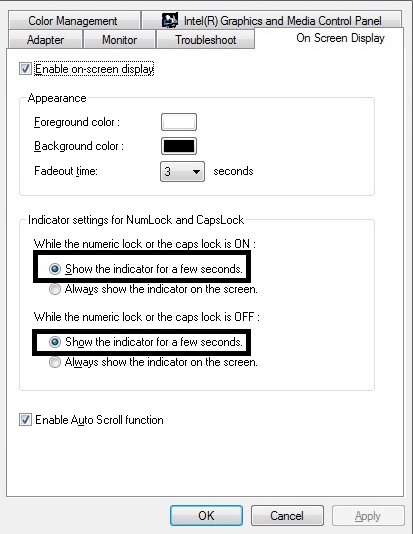
I need some help with my laptop. I try to disable the caps lock notification, https://gyazo.com/0d52c3337758f53ea5d5511101f09ba7 but for some reason that tab is not there for me.
Mark 13-Feb-19 06:54 AM
Hi @Stefan do you have a Lenovo machine? If so, go to Task Manager and then Startup and then look for a task called Lenovo Utility and disable that.
Stefan 13-Feb-19 07:04 AM
i dont have a brand
when it starts up it says american megatrends. its a costum made laptop ^^
Mark 13-Feb-19 07:08 AM
hmm, if your laptop is custom built is it a clean flash of Windows? In that case you shouldn't be getting any notifications...
Are you on Windows 10?
Stefan 13-Feb-19 07:13 AM
yes
the version is clean
as I have installed it myself
Frankenstein 16-Feb-19 01:13 PM
Hello all! I was suggested this group by a friend as he thinks I should get some peoples opinions before I commit to spending 2k pounds. The computer I intend to purchase is below. (My location is Belfast, UK) I play games few times a week, mostly weekends to wind down. I usually don't have time to even turn on my laptop during the week, so my friend is telling me this is an overkill and that it is too expensive for the offered. I kinda went for the overkill as I don't want to be thinking about replacing components for the next few years. All I want is just sit down and play my 10-15 hours after the work week. Any suggestions are welcome. The PC in question: https://www.game.co.uk/en/yoyotech-warbird-i7-ultra-i7-8700k-16gb-ddr4-gtx-1080-8gb-2359737 (edited)
Start venturing into the 4K gaming territory with the Yoyotech Warbird i7 Ultra, With an overclocked 8th Generation Intel® Core™ i7 Processor and the incredible performance of the Nvidia GTX 1080 8GB graphics card.
Johnny 16-Feb-19 03:02 PM
For that price you can get a much better specced pc
Something like this you wouldnt have to upgrade for a bit. https://m.newegg.com/global/uk-en/product/N82E16883102525
ToTimesTwoIsToo 18-Feb-19 11:55 AM
great video showcasing RTX global illumination in the new Metro game https://youtu.be/eiQv32imK2g (edited)
High praise indeed, but 4A Games' phenomenal engine, paired with Nvidia RTX ray tracing technology powers Metro Exodus on to a new level in visual fidelity. ...
much more impressive than the bf5 videos we saw at rtx launch
Mark 18-Feb-19 08:36 PM
That's actually looks really good but fuck that game and its publishers for moving to Epic Store.
🍌 2
ToTimesTwoIsToo 24-Feb-19 10:31 AM
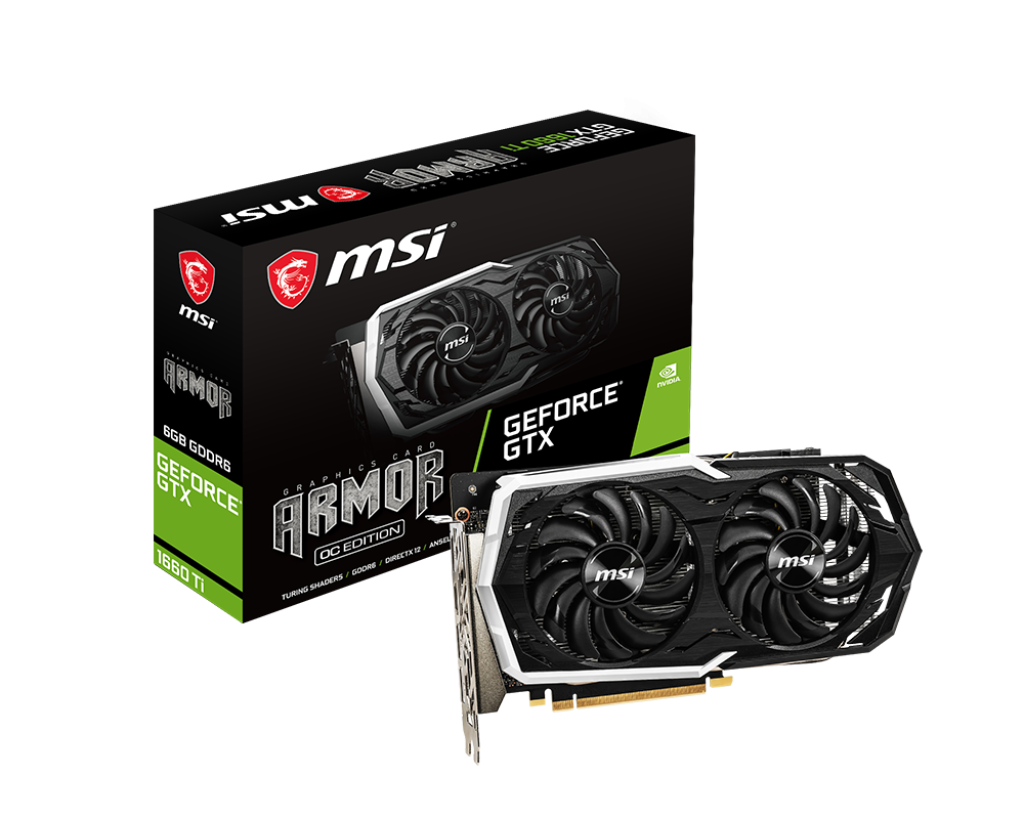
gtx 1660 ti 6gb is getting pretty favorable reviews. It's a gtx 1060 replacement price wise, but offers gtx 1070 levels of performance (edited)
$0 For New members first order & Free 24H Expedited (5pcs): https://www.pcbway.com/ Support us on Patreon: https://www.patreon.com/hardwareunboxed 1080p & 14...
you can already preorder prebuilts with this card, but so far the cheapest price I've seen was $980 for an r5 2600 + gtx 1660 ti + 8gb of RAM
that price doesn't seem worth it so far, as you can get the rtx 2060 skytech deal for $900, which is a better gpu overall
however, I expect in the next few months, you might see sub 900 PC deals with the gtx 1660ti, which means, finally, gtx 1070 performance for budget prebuilts (edited)
oscar 27-Feb-19 04:49 AM
What’s better, intel or amd?
Brajany 27-Feb-19 05:20 AM
Depends what you're doing, and what lineup of CPUs you're talking about, streaming and video editing, people recommend AMD, gaming, people recommend Intel, now, this is not to say AMD is bad for gaming, and, Intel is bad for content creation, but, they're just, ever so slightly better.
oscar 03-Mar-19 03:15 AM
Is 16gb of ram good for vr. Or do I upgrade to 32gb of ram
Littlepip 03-Mar-19 04:55 AM
16 should be more than enough
the gpu specs more important
Littlepip 03-Mar-19 05:10 AM
that would work although a bit overpriced
oscar 03-Mar-19 05:43 AM
It always goes on sale for like 200$ less
Littlepip 03-Mar-19 08:11 AM
yeh at 200 les more fair
Zion 09-Mar-19 01:32 PM
Looks like it's on sale for 300 less
ToTimesTwoIsToo 14-Mar-19 09:33 AM
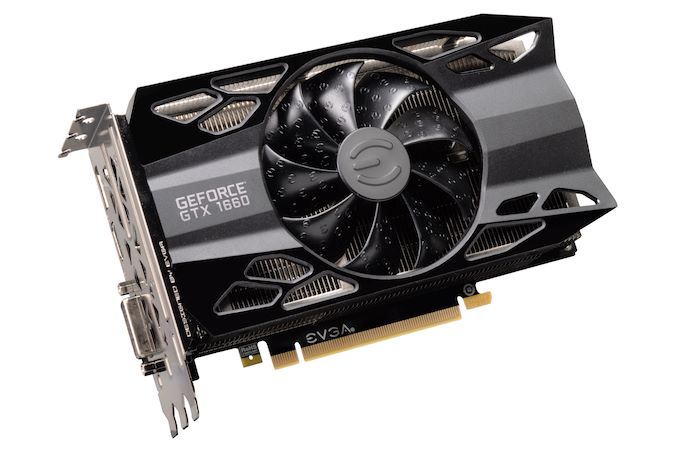
gtx 1660 launches at $216 - sits between the gtx 1060 and gtx 1070 in a lot of titles, but even punches near gtx 1070 in a lot of newer games.
offers really good price / performance
IF I am buying a sub-1000 desktop in 2019, I would highly consider the gtx 1660 or ti version
we already see a gtx 1660 ti for $780. We might even see gtx 1660 builds pop up for sub-700
ToTimesTwoIsToo 18-Mar-19 08:46 AM
the big news recently is a Cryengine tech demo showcasing real time raytraced reflections without RTX hardware. The demo was running on an AMD Vega 56 https://www.youtube.com/watch?v=1nqhkDm2_Tw (edited)
Technology Reveal: Real-Time Ray Traced Reflections achieved with CRYENGINE. All scenes are rendered in real-time in-editor on an AMD Vega 56 GPU. Reflection...
💕 コード:002 💕 18-Mar-19 04:41 PM
rtx is possible in amd gpu's?
Mark 18-Mar-19 06:54 PM
I feel like the smart thing for AMD to do would be to skip ray tracing for this generation. I mean I can count the number of DLSS games on one hand.
🤔 2
ToTimesTwoIsToo 18-Mar-19 08:10 PM
yeah maybe let nvidia work out the kinks them jump in when there is more demand for it
Jewsus 20-Mar-19 09:38 PM
I am very confused with the cpu for my budget build. I have choosed the remaining parts. Should i go with an i3-8100 or Ryzen 3 2200g. I have a dedicated graphic card ( rx 570). I want future proofing and good fps in overwatch and fortnite. Thanks in advance
ToTimesTwoIsToo 20-Mar-19 09:39 PM
I'd go with i3 8100
@Jewsus
Jewsus 20-Mar-19 09:40 PM
See this
Overwatch High settings 100% Render Scale GTX 1080 Ti Core i3-8100 vs Ryzen 5 2400G vs Pentium Gold G5400 vs Ryzen 3 2200G CPU/GPU/RAM benchmark. 1920 x 1080...
ToTimesTwoIsToo 20-Mar-19 09:42 PM
which motherboard are you getting btw
for gaming I'd go with 8100
it's just better in most games it seems
as for the upgrade path argument
it's meh -- 3rd gen AMD cpus will already not be compatible with some of the 300-series mobos
Jewsus 20-Mar-19 09:55 PM
:MSI B360M-PRO VDH
Mike 20-Mar-19 10:34 PM
@Jewsus neither
get a ryzen 5 2600
3rd gen amd cpus will be compatible with 300-series mobos as long as its bios updated
ToTimesTwoIsToo 20-Mar-19 10:41 PM
I see, yeah I'm reading that right now, good on AMD
Vaibhavb1996 26-Mar-19 06:59 PM
Guys any good deals on power supplies?
Brajany 26-Mar-19 09:16 PM
https://m.newegg.com/products/N82E16817151226?Description=Seasonic+S12III+500&cm_re=Seasonic_S12III_500-_-17-151-226-_-Product What is your system? This would be good for build with a 1060/ RX 580, or a 1070/Vega 56, if you won't overclock.
Mike 26-Mar-19 09:35 PM
@Vaibhavb1996 not really currently
I'd go with a CX550 for a "low-mid" range system, and bitfenix whisper m or corsair rmx if you have a high end system (2070 or higher)
i wouldnt go with the seasonic
based on an outdated model
Vaibhavb1996 26-Mar-19 09:36 PM
I'm looking for something over 650W to be future proof for some time.
Mike 26-Mar-19 09:36 PM
group regulated + lacks protection (or at least no advertised protection)
Vaibhavb1996 26-Mar-19 09:37 PM
Nothing over 750 though as that would be just overkill
Mike 26-Mar-19 09:37 PM
do you do rebates?
Vaibhavb1996 26-Mar-19 09:37 PM
I dont mind rebates
Mike 26-Mar-19 09:38 PM
based on the same platform as the seasonic focus gold so it's pretty good
Vaibhavb1996 26-Mar-19 09:41 PM
I'll take a look.. Thanks!
El Make It Raino 30-Mar-19 03:49 PM
Anybody on? I just bought a new pc and have a few questions if you don’t mind
Well, bought a new to me pc
So this is the mobo. And the ram is like this and not in dual channel? Or am I wrong
ToTimesTwoIsToo 30-Mar-19 09:53 PM
@El Make It Raino sometimes I've seen paired channels beside each other, sometimes every other channel. cpu-z software will tell you if you are using dual channel, or just check the manual
👌 1
El Make It Raino 30-Mar-19 11:06 PM
oh thats good info thank you!!
El Make It Raino 31-Mar-19 03:33 PM
looking at the ryzen 2700 and asus rog strix x470-f gaming mobo combo on newegg. https://www.newegg.com/Product/ComboBundleDetails.aspx?ItemList=Combo.3802136
anybody on here know anything about this board?
Mike 31-Mar-19 03:57 PM
@El Make It Raino not even remotely worth it
what made u choose an x470 over a b450
El Make It Raino 31-Mar-19 03:58 PM
absolutely no idea
still fairly newish to all of this
i actually did change to this
which is a 450
i went on pcpartspicker
@Mike thanks for the reply btw
El Make It Raino 31-Mar-19 04:04 PM
@Mike good call!!! shit yeah.
Mike 31-Mar-19 04:04 PM
or just use ethernet
El Make It Raino 31-Mar-19 04:04 PM
going to be using ethernet definitely. But i like having the option.
¯\_(ツ)_/¯
ill probably do that though. I like that price more lol
Mike 31-Mar-19 04:06 PM
thats assuming u need a 2700 though
what is this for
El Make It Raino 31-Mar-19 04:06 PM
i want to play AAA games and stream. Or at least have the capability
i currently have an i7 7700
my gpu is a 1080. that shouldnt be a problem..?
Mike 31-Mar-19 04:11 PM
no, gtx 1080 is still really powerful
El Make It Raino 31-Mar-19 04:12 PM
ok good.
Mike 31-Mar-19 04:12 PM
2700 probably will be a slight downgrade for games (7700 has better single core performance) but the extra cores will help for streaming (edited)
El Make It Raino 31-Mar-19 04:12 PM
seeing all the posts etc on reddit about the 2080 and 2080ti makes me feel like my gpu sucks lol
really? huh. Well yeah as far as streaming goes it should be a help
Mike 31-Mar-19 04:13 PM
it's a 1440p 80-100fps card
definitely still powerful enough
El Make It Raino 31-Mar-19 04:14 PM
good lol. i'll stick with it until the 2080 drops below $600
JKL 02-Apr-19 01:23 PM
GWmythicalFeelsSadMan i a pleb with 2070
Brajany 02-Apr-19 04:04 PM
RX 580 here, who is the true pleb?
💕 コード:002 💕 02-Apr-19 04:20 PM
I 1440p 144hz with my 980ti omegalul
Apex
josh. 02-Apr-19 07:54 PM
1080 > 2070
Mike 02-Apr-19 10:07 PM
not true
AmariBot BOT 02-Apr-19 10:07 PM
@Mike
Mike
CONGRATS You are now level 5!!!
Snowyyy 05-Apr-19 05:39 AM
So I bought a prebuilt PC. The storage amount was 500 GB
Now I would like to get another disk. Does anyone know how to upgrade components in the PC and help me source the wires and materials needed?
Mike 05-Apr-19 09:53 AM
@Snowyyy a sata data cable (buy separately) + a sata power cable which the power supply hopefully has another of
Snowyyy 05-Apr-19 10:20 AM
@Mike I can take a picture of the internals tomorrow for you to take a look at and identify the location of the hard drive.
Would that be ok? Cause I am kind of loct
Mike 05-Apr-19 11:03 AM
@Snowyyy the hard drive can be mounted any place where there's room
Snowyyy 05-Apr-19 12:06 PM
One of the places have an extra cable sticking out. I wonder if that's the correct place. Saves me a cable also @Mike
Mike 07-Apr-19 02:12 PM
@Socialgamerguys just answer these questions: budget, country, what computer is used for, and peripherals needed
Socialgamerguys 07-Apr-19 02:18 PM
Budget: Would like to keep it around $850 USD but am willing to go up $950 USD Country: USA, in Arkansas Use: Gaming (Destiny 2), editing video/photos, streaming from PC/console Peripherals needed: Windows key, Mouse, Keyboard, and Monitor.
Mike 07-Apr-19 02:22 PM
is the keyboard monitor and mouse included in the budget?
Socialgamerguys 07-Apr-19 02:23 PM
Only Monitor. Keyboard and Mouse could be bought at a later time.
But suggestions on Mouse and Keyboard are welcome.
Mike 07-Apr-19 03:50 PM
not many deals going on rn, things will probably change in a month
but that is roughly what you should go with (edited)
if you're in college, see if u can get free windows 10 education
or just grab a cheap key off ebay
Socialgamerguys 07-Apr-19 03:56 PM
Not in college but will look into getting a cheap key. Also nice. That’s super below what my budget is. What monitor/keyboard/mouse should I go with? I saw the monitor that was suggested on #peripherals recently and it seemed good.
Thanks @Mike for the suggestions.
Mike 07-Apr-19 04:30 PM
@Socialgamerguys some 24" IPS 75hz ($100-110), XG2402/XG2401 ($190-200), or some curved 144hz monitor ($150-2220)
probably not curved if u do a lot of video editing but curved 144hz monitors have VA panel, which are much better than any TN monitor in terms of color
mouse is really personal preference, same with keyboard
though i'd stick with something from mechanicalkeyboards.com
Mike 07-Apr-19 05:41 PM
not at all
Mike 07-Apr-19 05:46 PM
not the worst but acer's quality control isnt known to be great (edited)
can you remind me why you dont want rtx cards?
josh. 07-Apr-19 05:57 PM
rtx has no dvi
and my dad runs a lan cafe w only dvi monitors
💕 コード:002 💕 07-Apr-19 05:57 PM
use DVI converters
??
as in DVI to DP
josh. 07-Apr-19 06:01 PM
I’d rather just have a graphics card w dvi
Mike 07-Apr-19 06:04 PM
but... why?
Mike 07-Apr-19 06:11 PM
what specs are on the monitors in the lan cafe anyway
if it's just 60hz 1080p (which it probably is considering the only input being dvi), then you'll be good with an rx 580 pc
josh. 07-Apr-19 06:23 PM
no 144 1ms
Socialgamerguys 10-Apr-19 09:12 AM
@Mike on the build you sent me, how hard would it be to implement a 1-2 tb hdd and a WiFi card? Or does the motherboard have that? I don’t know how feasible it would be for me to have my build hardwired at all times.
Mike 10-Apr-19 01:43 PM
@Socialgamerguys both are very easy to do
Socialgamerguys 10-Apr-19 01:49 PM
Okay. I don’t need to upgrade the PSU right to compensate for adding either? @Mike
Mike 10-Apr-19 01:59 PM
the psu i linked is more than enough
Socialgamerguys 10-Apr-19 02:36 PM
Okay, just making sure. Thanks.
oscar 29-Apr-19 06:48 PM
What’s a good reliable laptop, just for normal use. No gaming
ToTimesTwoIsToo 29-Apr-19 07:10 PM
.sal
Dyno BOT 29-Apr-19 07:10 PM
Greetings. It seems you're making an inquiry about a laptop. /r/SuggestAPC is able to help you out, but you're better off checking out the /r/SuggestALaptop Discord server (and sub) for more information. Here's the link: https://discord.gg/ZfsZYVz
ToTimesTwoIsToo 29-Apr-19 07:10 PM
@oscar
Deleted User 02-May-19 06:21 PM
Quick question here, would this PC be good for just general low-end use?
Cmk 02-May-19 06:31 PM
this might be a better option
Cmk 05-May-19 06:18 PM
this is a pretty solid deal with promo code EMCTYWT23 you get it for 289 anyone looking to build or upgrade
Jahseh 08-May-19 08:29 AM
any suggestions for a gaming that could run rainbow siege, fortnite, and league of legends? My budget is $400-$630
Brajany 12-May-19 05:58 PM
US? Or?
itsnickbrochacho 13-May-19 11:11 AM
https://pcpartpicker.com/list/gBvbbX Is there anything I should change with this build?
Cmk 13-May-19 11:49 AM
@itsnickbrochacho head over to https://old.reddit.com/r/buildmeapc/new/
Welcome to /r/buildmeapc! If you are new to computer building, and need someone to help you put parts together for your build or even an...
and ask
@itsnickbrochacho but you should tone it down to 16gb of ram with a better mhz, and go down to a 1tb hard drive with a SSD if possible
userpay 21-May-19 09:19 AM
Does anyone know off-hand on average how long it takes for prices of a previous gen to go down when a new gen is announced? Given that the vacation that was why I had been gunning for a pre-built is now officially canceled I'm debating about waiting for the 3rd gen of AMD CPUs to be announced.
💕 コード:002 💕 21-May-19 01:20 PM
A couple of months after release usually while people get new gen and sell old gen
userpay 21-May-19 03:04 PM
eh... so maybe not worth waiting for me. Hell that might be whats driving the sales for some of these places anyway.
Cmk 21-May-19 03:27 PM
Some prices are dropping now just not in pre builts
Free Shipping. Buy AMD CPU Ryzen 5 2600X - YD260XBCAFBOX - Free The Division® 2 Gold Edition & World War Z with purchase at Walmart.com
Like this you buy this sell the 2 games for 40 bucks and you got a cheap ass cpu
DeepskyScorpion 26-May-19 05:26 AM
Ryzen 3k tmr HYPE
userpay 26-May-19 03:11 PM
Sounds like new AMD stuff will be released in the first week or two of July.
Maybe I should have waited on ordering but honestly I doubt the price of 2nd gen will drop much and the brand new cpus would probably be out of budget
Mike 26-May-19 09:19 PM
@userpay amd cpus have been known for being good value and i believe they would want to keep pushing that (edited)
3700x/3800x >= 9900k for $100+ less btw
userpay 26-May-19 09:26 PM
I know, I ordered a 2700x yesterday. Did they actually announce pricing though? thought they were waiting on that till E3?
wait they did... well now I'm kinda pissed. I expected them to be more expensive and instead they're even cheaper?
well, looks like the 2700x should perform around the same spec as the 3600 for aroundish the same price since it was a free upgrade from the 2700 on ibuypower. Course there was probably some sort of invisible mark up
ah well, if the pc arrives and there's issues I'll return it (not sure how money back works when financed) and maybe wait. Otherwise at least ill have a solid base for upgrading in the future.
Maxwell9021 27-May-19 01:53 AM
Hey can anyone really knowledgeable in building PCs help me out? I was looking at this and I wanted another opinion on the PC. https://pcpartpicker.com/guide/vGgXsY/magnificent-intel-gamingstreaming-build
Eggmanronpa 27-May-19 07:42 AM
Random questions folks. I have a six year old PC I built and I want to upgrade. Want to stay under 1000. Do not need a new keyboard/mouse/screen, but would like a new case that's not either dull black or overly flashy/fancy.
Firstly: is it a good idea to buy piecemeal instead of everything at once as long as I check against tower/mother board?
Secondly, if I get a bigger SSD can I clone win 10 on my current one without having to pay for a new one?
Cmk 27-May-19 07:52 AM
AMD has revealed the 12-core 3rd Ryzen 9 3900X - one of five new 7nm Zen 2 CPUs which is set to cost just $499
@userpay all prices here
userpay 27-May-19 07:56 AM
Yea I saw last night. Pretty sure what I paid for the 2700x should still be on par with the low end of the new gen.
Maybe in two years I'll update the cpu when 4th gen comes out or something
userpay 27-May-19 08:06 AM
hmm... actually I wonder if I should try dipping my toes into the stock market xD
Might not be a bad time to throw in on AMD's side
Eggmanronpa 27-May-19 08:36 AM
Actually I'm looking at this case, with the 16gb ram deal: https://www.amazon.com/dp/B07R4XG7PB/?tag=pcpapi-20&th=1
Is it any good?
userpay 27-May-19 08:41 AM
You aren't actually saving any money if you buy the bundle vs buying them separately it looks like.
All I can say is I don't know that RAM brand (which isn't hard considering I haven't been in the hardware game long) and I think I remember seeing that case (or another one of that lineup) got good review marks
or at least I distinctly remember that movable I/O panel which is something I liked
Eggmanronpa 27-May-19 08:48 AM
Alright. Def going with that case in this instance. I may wait and see how the new Ryzen stuff shakes the prices before I commit to the motherboard/cpu
userpay 27-May-19 08:51 AM
Actually a case like that would have been ideal... the filters are accessable without having to pull anything off
least for me
that's part of why I went with the thermaltake C33 is I can just vacuum off the mesh front rather than have to take the panel off constantly (though I might still do that)
jpeg.jpg 27-May-19 08:54 AM
@Eggmanronpa ram is okay but case bad
userpay 27-May-19 08:54 AM
Is it?
Personal experience or are there some reviews that point to it being bad because I thought I remember seeing it get good reviews
jpeg.jpg 27-May-19 08:55 AM
Though for that price i’d buy it and sell the case
AmariBot BOT 27-May-19 08:55 AM
@jpeg.jpg
jpeg.jpg
CONGRATS You are now level 1!!!
jpeg.jpg 27-May-19 08:56 AM
You’ll be highly limited to matx.
Matx motherboards, smaller coolers, etc.
userpay 27-May-19 08:57 AM
Ah that
Eggmanronpa 27-May-19 08:57 AM
Is overclocking/cooling mandatory for a micro tower? I prefer not bothering.
userpay 27-May-19 08:57 AM
a few fans should be sufficient if not overclocking
jpeg.jpg 27-May-19 08:57 AM
For 1000 dollars pc only i’d prolly get something like a 3700x and a lower end x570 or higher end B550 (or whatever they’ll call it) board
userpay 27-May-19 08:57 AM
and if you're sticking with matx boards then I don't see why it would be a bad case
jpeg.jpg 27-May-19 08:58 AM
And something like an rx 5700 or 5800 depending on pricing
Matx boards are budget. They certainly dont feel or look premium, unless you want the higher end ones
Also i think gamersnexus reviewed the case. Bad airflow because holes too small
userpay 27-May-19 09:00 AM
gamers did the Q500L which is the bigger one
jpeg.jpg 27-May-19 09:00 AM
I suggest getting an h500 for a case.
userpay 27-May-19 09:00 AM
and it's possible I focused on the movable I/O since that was novel. I don't remember for sure about the airflow though isn't that an issue with cases with filters period?
jpeg.jpg 27-May-19 09:00 AM
I still dont recommend matx boards as they are often low end boards
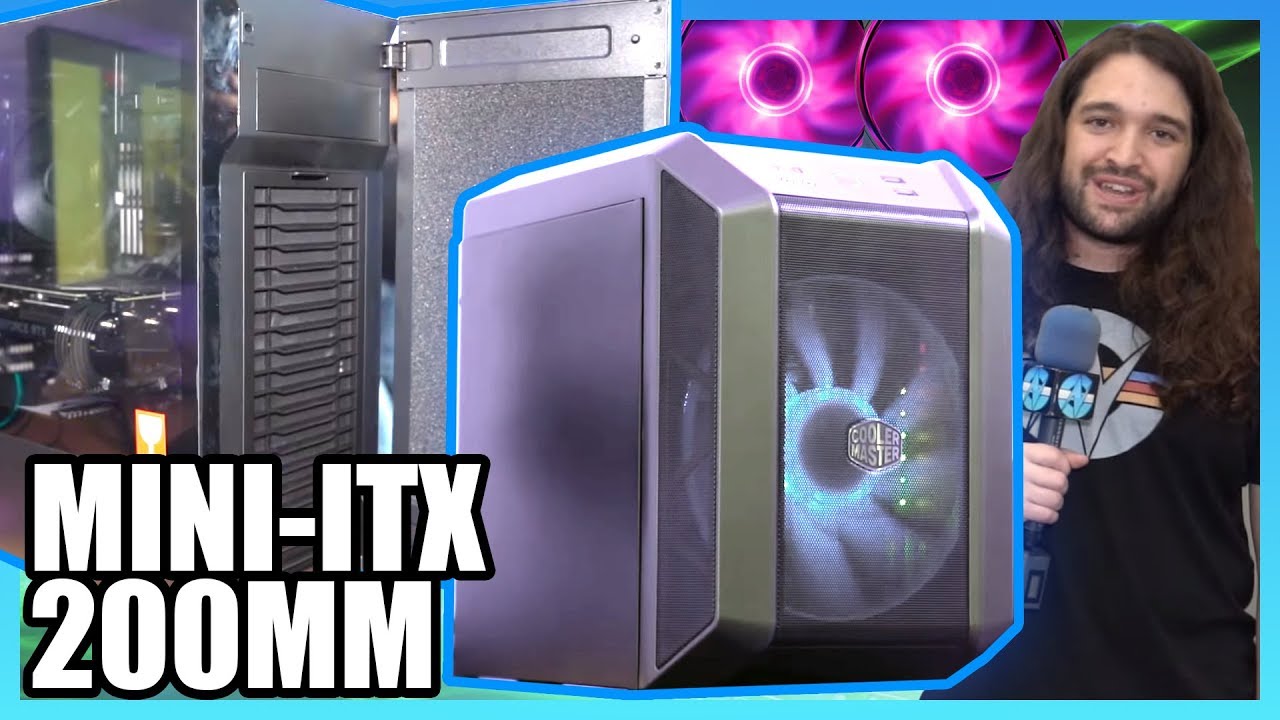
Also, Q300L is the same outside chassis, so they’d prolly have slightly better temps due to smaller mobo, etc
userpay 27-May-19 09:02 AM
We tried hard to make Cooler Master's Q500L case perform well, but we just couldn't pull it off. The Q500L is one of the worst thermal performers we've ever ...
I'm not sure where the video I watched previously is. It's not coming up when I search for the case but here's Gamers review of the 500 which should bes imilar to 300
jpeg.jpg 27-May-19 09:03 AM
I mean, sure. You’d prolly be fine with that case and like 6 fans, but then i’d much rather spend that money on a better case instead of fans
userpay 27-May-19 09:03 AM
also was the holes thing the filter or the case itself?
jpeg.jpg 27-May-19 09:03 AM
The case itself
Removing the filter did almost nothing i think
Also note that Q300L is not tempered glass
Eggmanronpa 27-May-19 09:05 AM
Ouch. There goes that.
jpeg.jpg 27-May-19 09:05 AM
I’d get an nzxt h500. For 70 bucks ish it’s not bad at all
Eggmanronpa 27-May-19 09:05 AM
I already have a black midtower though :/
jpeg.jpg 27-May-19 09:06 AM
White h500
Eggmanronpa 27-May-19 09:07 AM
I'll consider it. Looking at others.
jpeg.jpg 27-May-19 09:07 AM
I’d wait for the new AMD gpu’s and cpu’s to launch though
Watch some reviews
userpay 27-May-19 09:07 AM
I am mildly curious how the H500 would cool better when it's side vented vs direct vent. Probably because the vents are slats rather than holes so you can fit more in the space or soething...
jpeg.jpg 27-May-19 09:07 AM
Because airflow
userpay 27-May-19 09:07 AM
wait no those are holes to
hmm
jpeg.jpg 27-May-19 09:08 AM
Air actually flows, instead of being recycled in the case
An matx board will do better in the Q300L because it has a smaller footprint, and a smaller gpu
If you fit a big ass gpu, it’ll obstruct the airflow and create turbulences. Air will just end up being recycled in the tower. No heat goes out.
AmariBot BOT 27-May-19 09:09 AM
@jpeg.jpg
jpeg.jpg
CONGRATS You are now level 2!!!
userpay 27-May-19 09:09 AM
so is it more the Q300L is okay but the Q500L falls flat/don't use a huge gpu?
jpeg.jpg 27-May-19 09:09 AM
More or less yeah
userpay 27-May-19 09:09 AM
Because I watched the first 5 minutes of Gamers and he went straight for the huge gpu
jpeg.jpg 27-May-19 09:10 AM
It’s a budget case. You arent meant to put something like an R7 in it
userpay 27-May-19 09:10 AM
Now maybe he uses a smaller one later in the vid but right off the bad he's not using a normal config
jpeg.jpg 27-May-19 09:10 AM
Or a 1080. But with 1000 dollars, you’d prolly end up getting a similar size card to it. (edited)
userpay 27-May-19 09:10 AM
Yea if you're trying to go small form factor but big power you'd be doing water cooling no?
jpeg.jpg 27-May-19 09:11 AM
Not really no
Aio’s dont cool better than huge air towers
userpay 27-May-19 09:11 AM
I thought part of the point of going water cooling was to beable to fit in smaller spaces?
jpeg.jpg 27-May-19 09:11 AM
Unless you go for a case like this, or you want aesthetics points
But then again you’re spending 100+ bucks on an aio
Which you dont need if you spend 70 bucks on a case
He aint overclocking so he can just use stock cooler. Assuming AMD ships stock coolers on zen 2
userpay 27-May-19 09:13 AM
Either way I'm avoiding water cooling like the plague. Even if it looks nice/performs better in niche builds it's an extra point of failure that has bigger repercussions than if a fan fails.
jpeg.jpg 27-May-19 09:13 AM
Yeah exactly
userpay 27-May-19 09:14 AM
And unfortunately I ordered before the new ryzen news broke but for what I paid for the 2700x it should perform similarly to the same pricepoint on the lower end of the 3rd gen
jpeg.jpg 27-May-19 09:14 AM
Anyways, my advice is to avoid that case. Maybe i’m wrong, maybe it can cool smaller components well, but i’d still advice against it
What did you pay for your 2700x?
userpay 27-May-19 09:15 AM
The same price of a 2700, free upgrade
so what 200?
jpeg.jpg 27-May-19 09:15 AM
Eh. That’s not bad.
userpay 27-May-19 09:16 AM
Honestly I want to get into a new rig sooner rather than later anyway, even though this is a decent gaming laptop its been struggling lately
benchmark reviews probably won't be out until what, mid July?
and there's probably going to be a shortage
jpeg.jpg 27-May-19 09:17 AM
You have both desktop and laptop?
userpay 27-May-19 09:17 AM
I have only a laptop right now
Because of college, now that I'm done with college migrating to a desktop
jpeg.jpg 27-May-19 09:18 AM
Nah. They’re releasing it june 7th i think
userpay 27-May-19 09:18 AM
July
jpeg.jpg 27-May-19 09:18 AM
Preorders start june 1
Oh wait yeah july nvm lol
jpeg.jpg 27-May-19 09:19 AM
That r5 for 200 seems compelling for budget systems.
userpay 27-May-19 09:19 AM
Once I get the desktop and use it for a few weeks if it has no hiccups I'm going to go ahead and reformat the laptop and try to take the bottom off for a deep clean.
And then keep it around for traveling/when we have guests and I'm booted out of my room
jpeg.jpg 27-May-19 09:20 AM
I’d wait for RDNA though
God i hate that name
Why not keep navi ffs
userpay 27-May-19 09:21 AM
Like I said this is why even though I'm a little miffed the release is sooner than I thought ultimately I'm happy with what I'm getting as it'll still be a solid 2-3 months before we know for sure if the 3rd gen is good
jpeg.jpg 27-May-19 09:21 AM
At least wait till announcement. They said that rx5700 rivals 2070
And that is a “mid-range” card
It probably will lag behind from 2070. But if it’s like 399 then that’s a good price
userpay 27-May-19 09:22 AM
Yea but as someone else on here put it if you keep waiting for the next big thing that's just on the horizon you'lll never commit
jpeg.jpg 27-May-19 09:22 AM
Yeah. Well it’s up to you to get it sooner or a better price.
userpay 27-May-19 09:22 AM
So blobcatgooglyshrug
jpeg.jpg 27-May-19 09:23 AM
What’s your laptop specs anyways?
userpay 27-May-19 09:23 AM
I'm half curious to see what 2nd gen prices do. I'm pretty sure the sales recently were preparation
leme pull up the spec window
MSI laptop, i7-5700HQ 2.70 ghz, 16 gb of ram, GTX960m
jpeg.jpg 27-May-19 09:24 AM
I’m more interested in gen 1 prices. R3 2200g for 20 bucks would make a really good budget gaming build. New r5 1600’s have been seen going for 50 bucks
userpay 27-May-19 09:24 AM
mind you this laptop is... what 3-4 years old
jpeg.jpg 27-May-19 09:24 AM
960m still holds up reasonably well. You wont play apex legends though
userpay 27-May-19 09:25 AM
its getting about as old as my first laptop was before a fan broke though pretty sure MSI has better build quality than HP
and yea the 960m has still been fairly robust and recent stuff is playable
jpeg.jpg 27-May-19 09:25 AM
If you call 2017 recent then sure
I wouldnt play any AAA games on it launched in the last 1.5 years
userpay 27-May-19 09:26 AM
I probably should have done a fresh reformat a year or two ago just for performance sake but I've always been worried about doing to much when I have no backup. And actually this laptop can tackle Monster Hunter World alright
AmariBot BOT 27-May-19 09:26 AM
@userpay
userpay
CONGRATS You are now level 4!!!
userpay 27-May-19 09:26 AM
have to turn most things down to low but it gets the job done
jpeg.jpg 27-May-19 09:26 AM
MH world is a well optimized game
I need an upgrade myself. My i5 6500 just doesnt cut it anymore. 4c 4t isnt viable anymore
Eggmanronpa 27-May-19 09:28 AM
Is it wise to sell off old stuff or is it better to just chuck/recycle it?
jpeg.jpg 27-May-19 09:28 AM
Sell
As long as you do a full format of your old files, or better yet, keep the hard drives for your new system
Maxwell9021 27-May-19 10:09 AM
I want to build a computer and I have no idea what I’m doing. I was trying to look at a ton of videos last night on how too and I get how the basics work on compatibility but that’s it’s could anyone help me?
userpay 27-May-19 10:12 AM
pcpart picker should sort parts based on compatability (edited)
Technically this discord is more for prebuilts than building yourself
you could hit up buildapc or look at the build guides on part picker for baselines
though with the new ryzens on the horizon things might be up in the air for a bit
Maxwell9021 27-May-19 10:15 AM
That’s what I did and the one I sent in through a link people said was bad
Eggmanronpa 27-May-19 10:24 AM
Thinking on it, I like upgrading the graphics cards 3-4 years in, and I don't know if any mitx will handle that
So I may have to get another mid tower after all...
Snuffles 27-May-19 11:56 AM
hey guys liquid vs radiator can anyone explain the pros and cons of each
for cpu cooler
Cheeseman 27-May-19 11:59 AM
@Snuffles A liquid cooling system is good, when you instantly need to cool down your cpu. It is way pricier compared to an air cooling system, and it has the "ability" to leak. If you need to replace anything in your cooling system, you will end up paying too much. As for air cooling, a good air cooler (like a Be quiet dark pro, which is less than 50$ (around 20-30, if I recall correctly)) costs less, cannot leak and is easy to change
Snuffles 27-May-19 12:02 PM
thank u sirs
Cheeseman 27-May-19 12:03 PM
👌
Maxwell9021 27-May-19 10:41 PM
HEY! Just made a build! It’s probably terrible! Any suggestions? https://pcpartpicker.com/user/Maxwell9021/saved/#view=TCHGcf
ToTimesTwoIsToo 28-May-19 05:24 PM
it's not terrible
probably not the best price/gaming performance ratio out there, but it does have nice future proofing
i'd say if you are willing to wait, see how the pricing landscape changes when ryzen3000 releases this summer
you might be able to get a similar performing build for quite a bit less
jpeg.jpg 30-May-19 01:45 AM
Liquid cooler, if not going for looks, is not worth it
Air coolers perform just as well, for less price
ie. NH D15
You could also opt for cheaper psu
Such as a cxm
As for storage, i’d advise to go for mx500 or samsung 860 evo for ssd
Whichever is cheaper
userpay 30-May-19 09:13 AM
I have to admit the H100 Mini-ITX case that Cooler MAster debuted at Computex looks interesting
In the quest to find the best mini-ITX cases at Computex 2019, we came across Cooler Master's H100 with a 200mm fan. Airflow might not be optimal, but it is ...
To small for good cards but interesting form factor
Eggmanronpa 30-May-19 06:38 PM
Speaking of small form factors, what's the opinion on this one?
ToTimesTwoIsToo 30-May-19 06:58 PM
I like it
knowing only how it looks
Eggmanronpa 30-May-19 06:59 PM
Eggmanronpa 30-May-19 07:07 PM
Alas, because I don't want to bother with radiator/liquid cooling, which that micro set encourages, that's actually out.
userpay 30-May-19 07:20 PM
Yea with micro builds liquid can potentially win out over air since it can move heat more efficently spacewise
given that it's difficult to place enough fans when you go small enough. That said radiators do take up more space than a normal fan as well
Elisis 30-May-19 07:21 PM
But liquid-cooled builds tend to require more airflow, counter-intuitively. (edited)
userpay 30-May-19 07:22 PM
do they? If you throw your radiator on the output that should suffice I would think
though
it may need stronger fans
Elisis 30-May-19 07:22 PM
You can't just have a radiator on its own.
userpay 30-May-19 07:22 PM
I know it needs fans with it
Elisis 30-May-19 07:22 PM
Yeah, you need something to push the air.
If you don't get much airflow in the case, going liquid isn't too great an idea.
userpay 30-May-19 07:23 PM
I just know one of the reasons aios took off was because of the relatively smaller footprint compared to good cpu coolers
Elisis 30-May-19 07:24 PM
CC for CC, they're about equal.
userpay 30-May-19 07:24 PM
the radiator might have been bigger than the equivalent case fans but you didn't need this giant lump on top of the cpu
Elisis 30-May-19 07:24 PM
If you include the radiator.
userpay 30-May-19 07:24 PM
which saved alot of space depending on the case
Elisis 30-May-19 07:24 PM
But we're not talking space.
We're talking airflow.
userpay 30-May-19 07:26 PM
I never looked at the statistics when it came to micro/mini builds. I only looked at the stats for standard builds and I do remember seeing temp wise about equal/slight advantage towards liquid.
but that would also vary from case to case I imagine
Elisis 30-May-19 07:26 PM
Most definitely.
You wouldn't water-cool with an H200, for example.
userpay 30-May-19 07:28 PM
I swear I remember them talking about form factor being a consideration for water but it could be for the step down from the standard tower it won out but for anything smaller fans took precedence once again
could also be just in terms of fitting and not necessarily cooling
also lovely, yet another delay with my pc from ibuypower... Apparently the wireless card I selected ran out and of course I didn't see the email until a minute before customer service closed
JKL 30-May-19 09:25 PM
Water is good if you’re spiking heat
Like undergoing large loads right after turning on pc
userpay 30-May-19 11:43 PM
...If I ever do watercooling I'd almost want to do something like this https://www.youtube.com/watch?v=Q2SIrV_4-dM
bunch of radiators placed in front of a box fan and it works spectacularly. Even without the fan running just the passive cooling alone seemed to do the trick
course this depends on the room being air conditioned. Do this in a bedroom and you'll be nice and toasty
Sprite 01-Jun-19 04:57 PM
My dads given me his old dell gaming pc bit forgot his password as it’s been years
I don’t have the password reset disk
💕 コード:002 💕 01-Jun-19 09:36 PM
Do you mind deleting the drive?
Bradon 02-Jun-19 06:40 PM
any opinions on a ryzen 5 2600 for 100$?
userpay 02-Jun-19 06:58 PM
Check pc part picker
it should show the prices on several sites to give you an idea of the normal price
Sad Siren 03-Jun-19 08:54 AM
So I ended up putting together my own pc and everything is working well. I'm just wondering if there is a way to control the speed of the rgb fans in my case. The mobo is an MSI X470 Gaming Pro, there are 3 fans linked on a splitter cable connected to the JRGB2 slot on the board. I'm able to control the lighting with Mystic Light but don't see an option for fan speed
Eggmanronpa 03-Jun-19 06:36 PM
Are you picking up that ryzen 5 used or new? I see it new for 146
Mike 05-Jun-19 09:19 PM
@Sad Siren go to your BIOS
or download MSI command center
Sad Siren 05-Jun-19 09:20 PM
I did both, but I don't see an option to control fans connected to JRGB2, just CPU PUMP or SYS Fans
michael 06-Jun-19 05:38 PM
if i were to upgrade to a 1440p display, i think i'd want to get two of the same display since i like having matching monitors. is having two 1440p displays going to be significantly more taxing on my system than running a 1440p alongside a 1080p monitor?
💕 コード:002 💕 06-Jun-19 05:50 PM
not really imo
userpay 07-Jun-19 05:52 PM
I need to figure out a rgb program to control what's in my case... any recommendations?
gskill ram, asus 2070, endermax cooler, asus x470 board, and a rgb strip that was free from ibuypower
💕 コード:002 💕 07-Jun-19 08:37 PM
You'd need software specifically for whatever you want to control.
For instance, all my peripherals and lighting are from Corsair, so I can control all from iCUE. @userpay
userpay 07-Jun-19 08:39 PM
Aura seems to be working for most of it though not sure if the case fans are actually connected to the motherboard for control
Might need to shoot an email off to ibuypower about that...
JKL 07-Jun-19 11:07 PM
iCue GWahreeVampyYay
Eggmanronpa 09-Jun-19 06:18 AM
Like I said elsewhere I'm thinking that my 480 is actually good so I think I'll focus on the motherboard/cpu part of my upgrade.
But I'm trying to beat back my impatience about getting a new Ryzen because the new ones come out next month, which might push the prices down on the 2000 series further
Eggmanronpa 09-Jun-19 08:11 AM
I'm coming from an intel i5 3450 btw
With a mobo from 2012
Ultrasghost 13-Jun-19 03:04 PM
PCPartPicker Part List Type|Item|Price :----|:----|:---- CPU | AMD - FX-8350 4 GHz 8-Core Processor | $104.99 @ Amazon Canada Memory | Patriot - Signature 8 GB (1 x 8 GB) DDR3-1600 Memory | $37.99 @ Amazon Canada Storage | Western Digital - Caviar Blue 1 TB 3.5" 7200RPM Internal Hard Drive | $49.99 @ Canada Computers Case | Rosewill - SCM-01 MicroATX Mini Tower Case | $36.99 @ Amazon Canada Power Supply | EVGA - 500 W 80+ Certified ATX Power Supply | $54.75 @ Vuugo Custom | FM2A68M-DG3+, Mainboard | $69.99 @ Newegg Canada | Prices include shipping, taxes, rebates, and discounts | | Total | $354.70 | Generated by PCPartPicker 2019-06-13 18:03 EDT-0400 |
is that a good pc
Cmk 13-Jun-19 03:18 PM
@Ultrasghost what are you using it for ?
Ultrasghost 13-Jun-19 05:00 PM
gaming
Zim 13-Jun-19 05:32 PM
Do you guys have any suggestion for a 8700k build? W/o graphics card for $1100 or less? cause i'll only do programming and later buy a better graphics card probably for gaming and editing.
Cmk 13-Jun-19 09:56 PM
@Ultrasghost not really good for modern games
Will struggle
No gpu so can’t game actually
xvColton 14-Jun-19 12:25 PM
Anyone on?
Eggmanronpa 16-Jun-19 05:56 AM
Maaaan
Do I want a 3600? 3600x? Given how o l d my mobo is and that I'm getting a new one, would a 2600x serve me just fine?
Why can't I make this decision
AmariBot BOT 16-Jun-19 05:57 AM
@Eggmanronpa
Eggmanronpa
CONGRATS You are now level 1!!!
Eggmanronpa 16-Jun-19 05:57 AM
Why am I so impatient
Mike 16-Jun-19 12:42 PM
@Eggmanronpa 3600x will probably just be a higher clocked 3600, maybe with a better stock cooler
i would say get a 1600 and overclock it to 3.9-4.0ghz
Eggmanronpa 16-Jun-19 12:45 PM
Overclocked 1600? I most unfortunately don't know the first thing about overclocking, which was why I'm opting to wait for a 3600 (found I don't need to blow an extra 50 bucks just for a better cooler)
Mike 16-Jun-19 12:46 PM
3rd gen is nice and the $200 price tag on it is certainly fair, just keep in mind you'll have to account for mobo cost as well
and x570s will be very pricey
Eggmanronpa 16-Jun-19 01:09 PM
Actually ordered one (B450 Pro Carbon) and I should be able to update the bios via usb stick
But it's true that an older cpu would be less hassle. I was just thinking that 3600 would play nicer with more modern games for not much more price
Cmk 19-Jun-19 09:50 AM
NVIDIA is expected to launch the GeForce RTX Super cards in the coming days, with most outlets pointing to 21st of June as the likely day, followed by a launch in mid-July.
Eggmanronpa 19-Jun-19 03:27 PM
Is 2600x worth 30 more dollars than the 2600?
Cmk 19-Jun-19 03:36 PM
@Eggmanronpa not really
AMD Ryzen 5 2600 4.1Ghz vs Ryzen 5 2600x 4.3Ghz (RTX 2080) Motospeed Gaming Mechanical Keyboard - 45% OFF https://goo.gl/WG94aS Games : Project Cars Battlefi...
Eggmanronpa 19-Jun-19 03:38 PM
Alright, done deal.
Daddy Dab Dab 21-Jun-19 04:25 PM
Erm... holy shit Newegg has amazing deals on refurbished desktops
quad core i5 (albeit i5-2400), gtx 1050 and 8gb of ram for $400 USD, I believe
ahh fuck
I'm in Australia nevermind
Mike 22-Jun-19 02:22 AM
@Daddy Dab Dab not really
u can get a dell optiplex w/o a 1050 in there for around $100 on ebay and stick a gtx 1650 in there for +$150, total of $250
much better
Daddy Dab Dab 22-Jun-19 02:23 AM
It is
But I'm in Australia
Eggmanronpa 22-Jun-19 08:25 AM
u g h
Where can I get a cheap win 10 license that isn't shady?
Eggmanronpa 22-Jun-19 11:09 AM
Alright addendum: how trustworthy is Kinguin?
Eggmanronpa 22-Jun-19 01:03 PM
Okay second addendum: seems to not matter TOO much because I can run around with unlicensed Win 10 without much issue
Yog 25-Jun-19 02:41 PM
@Daddy Dab Dab What a good deal... 400 usd Contemplates where he lives Ahh fuck thats a different currency
Than where i live
Daddy Dab Dab 25-Jun-19 02:45 PM
Yeah lol I didn't think about that until 5 seconds after I posted it
It's alright I found a better system for cheaper But I have to build it myself
JKL 25-Jun-19 05:29 PM
compooter
oscar 26-Jun-19 02:31 AM
What simple desktop tower do y’all recommend?
Just for basic work
But with enough storage and good ram and good gpu
oscar 26-Jun-19 11:59 PM
^^^
SergeantGamerr 28-Jun-19 08:50 PM
thoughts? recommendations?
PCPartPicker Part List: https://pcpartpicker.com/list/C6QPjy CPU: AMD - Ryzen 5 2600X 3.6 GHz 6-Core Processor ($179.79 @ OutletPC) Motherboard: MSI - B450 Gaming Plus ATX AM4 Motherboard ($99.58 @ OutletPC) Memory: Corsair - Vengeance LPX 16 GB (2 x 8 GB) DDR4-3200 Memory ($74.99 @ Amazon) Video Card: Gigabyte - GeForce GTX 1660 Ti 6 GB GAMING OC Video Card ($299.99 @ Amazon) Total: $654.35 Prices include shipping, taxes, and discounts when available Generated by PCPartPicker 2019-06-28 23:51 EDT-0400
dw about the prices im getting them somewhere else
NiceShoeBro 30-Jun-19 08:09 PM
What do y'all think of this dude's build? https://youtu.be/L8hmFm_Z2NM
Get a Discount on your next purchase from SCDKey using the code: "SKSCATTER", check out their featured items below: Windows 10 Pro :https://bit.ly/2znI8HX Of...
JPatrick15 30-Jun-19 09:04 PM
anyone good with pcs dm me please, my pc randomly stopped working and it only shows a black screen on the monitor, if you can help send me a friend request and ill dm you, Thanks!!
Yog 01-Jul-19 11:09 AM
@NiceShoeBro its a really good build for 600 dollars but you might want to get a 6 core processor in the future and I wouldnt plan on streaming with it unless i ulgraded that 8gb of ram to 16gb which wouldnt cost much, but otherwise its really good especially with a gtx 1660 6gb.
Ram is fine, processor should probs get upgraded u could get a ryzen 5 1600x 3.6ghz for 150 USD and the VR is real nice.
ehumps 01-Jul-19 04:00 PM
Anyone have a recommendation for a small case that can support a maximum of 4 3.5inch hard drives and 2 2.5 inch hard drives, or a small case with a maximum of 3 5.25 inch external bays?
Mike 02-Jul-19 12:21 AM
ryzen 5 1600x is not worth it at all @Yog
never was worth
ryzen 5 2600 is that price and comes with 2 free games
Trop 02-Jul-19 12:30 AM
hey, where can i ask to find a pc with certain specs?
Yog 02-Jul-19 07:43 AM
Oh yeah
#prebuilt-questions
Anarcxh 07-Jul-19 04:53 AM
what would yall say is the best value gpu atm we talking NEW and USED I'd like to see what's the difference and obviously I know used will be an aprox not a concrete number
as P.S. I'm rocking a 1060 6gb r5 1600 16gb ddr4 got an ssd and hdd and all that goodness
am thinking of upgrading to a 1070ti-1080 or even 1080ti if I find a 200-300eu deal(used obv )
I know it sounds weird but I'll use it for heavy games that are maxed on 1080p for the time being will likely upgrade my monitor after
JKL 07-Jul-19 01:46 PM
the supers r not bad tbh
but expensive
2060 super pretty good
(pretty good comparatively, still expensive as ballz)
Anarcxh 07-Jul-19 01:56 PM
I mean I myself wil lget a 1070-1080ti if I find a deal to upgrade from my 1060 6gb
but not sure if my r5 1600 will cuck me since I wanna do some 1080p gaming at first till I get a 1440p monitor
torinago 20-Jul-19 09:21 AM
at this point i'm not sure why anyone would buy an rtx 2060 super or rtx 2070 super when the 5700xt exists, and used 1080tis are cheaper than they used to be.
Vast lolool 20-Jul-19 05:55 PM
Probably because this place is for prebuilt pcs and most of the best deals don't include brand new Gpus
JKL 21-Jul-19 11:02 PM
cuz replacing the gpu is hard
GWseremePeepoGGERS 2
Guru 29-Jul-19 08:21 PM
jkl, not really,
was pretty easy first time around just most people are too lazy to do it and worry about breaking stuff when you can watch a tutorial on yt.
(didnt need to thoguh, look self explanitory itself, although the pin power connector took some figuring out
Aejys 05-Aug-19 11:10 AM
so question - looking at a cheap vid card for a friend. someone selling a msi 1060 3gb for 80. Said it's been used for mining for 8 months with lower power. Any opinions on if it's worth it?
Guru 05-Aug-19 06:07 PM
@Aejys no no no and no. 1 3gb will not suffice in newer games soon
and 2 i think when you mine the card changes its bios
so youd have to change it back
JKL 05-Aug-19 06:19 PM
2080ti or quadro or go home i guess
GWcmeisterPeepoShrug
Guru 05-Aug-19 08:23 PM
@JKL how to get the dedicatedx contributors role?
JKL 05-Aug-19 08:58 PM
donate a quadro to server admin
G A Y B O I 05-Aug-19 10:50 PM
Talk more in chat and u get free red name. @Guru
JKL 05-Aug-19 11:13 PM
or donate me a quadro GWseremePeepoGGERS
G A Y B O I 05-Aug-19 11:14 PM
Nooooooo I'm too brokeee
JKL 05-Aug-19 11:14 PM
sameeee esp with the tariff war i cri
so many red stocks zz
G A Y B O I 05-Aug-19 11:14 PM
What about a used GTX 1050 ti and 5 vbucks
😂
JKL 05-Aug-19 11:14 PM
vbucks op
G A Y B O I 05-Aug-19 11:15 PM
How r u still alive at this time? It's like 2am for me
JKL 05-Aug-19 11:15 PM
11pm
cali
G A Y B O I 05-Aug-19 11:15 PM
Anyhow I'mma sleeepp and oh wow
Ah
JKL 05-Aug-19 11:15 PM
cyaz
G A Y B O I 05-Aug-19 11:15 PM
FL for me.
JKL 05-Aug-19 11:15 PM
o lol
ya go sleep
G A Y B O I 05-Aug-19 11:15 PM
K I sleep night 😴
JKL 05-Aug-19 11:15 PM
nighty night
i'll miss u bb
Guru 06-Aug-19 02:26 PM
@Cmk you know all, do you know of a 100+hz monitor for under 103$?
JKL 06-Aug-19 02:57 PM
u can maybe get it used?
103 is reaaally low for a 100+hz monitor, color quality will be bad or something
this one is 180
GWloopyBlobShrug
G A Y B O I 06-Aug-19 03:49 PM
In prime day, theres 144hz monitor for 150$ oof
Guru 06-Aug-19 04:14 PM
@JKL what about this? I've never heard of the brand
Enjoy the videos and music you love, upload original content, and share it all with friends, family, and the world on YouTube.
🤔
JKL 06-Aug-19 04:16 PM
looks ok
4 stars
Guru 06-Aug-19 04:16 PM
Qwertyuiopasdfghjklzxcvbnm
JKL 06-Aug-19 04:16 PM
but someone bent the screen
:pogg
Guru 06-Aug-19 04:16 PM
No lol
Pogg
Totally not curved